

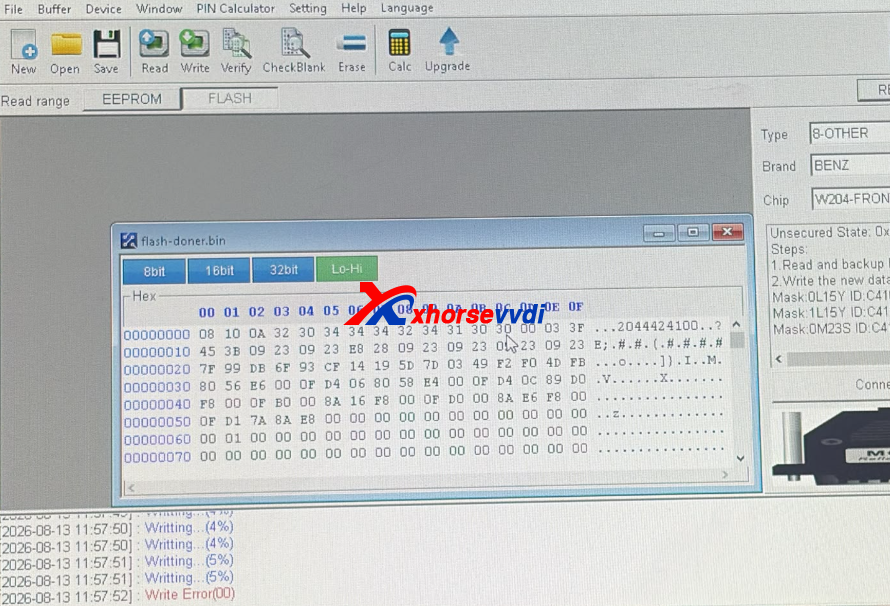
Encountering a write error while programming a Mercedes-Benz W204 Front SAM module with VVDI Prog?
The detailed problem:
Hello have issue with VVDI PROG
Benz 204 front Sam module
Read flash ok but on write it delete data before write
And then fails
Here is the connection diagram:
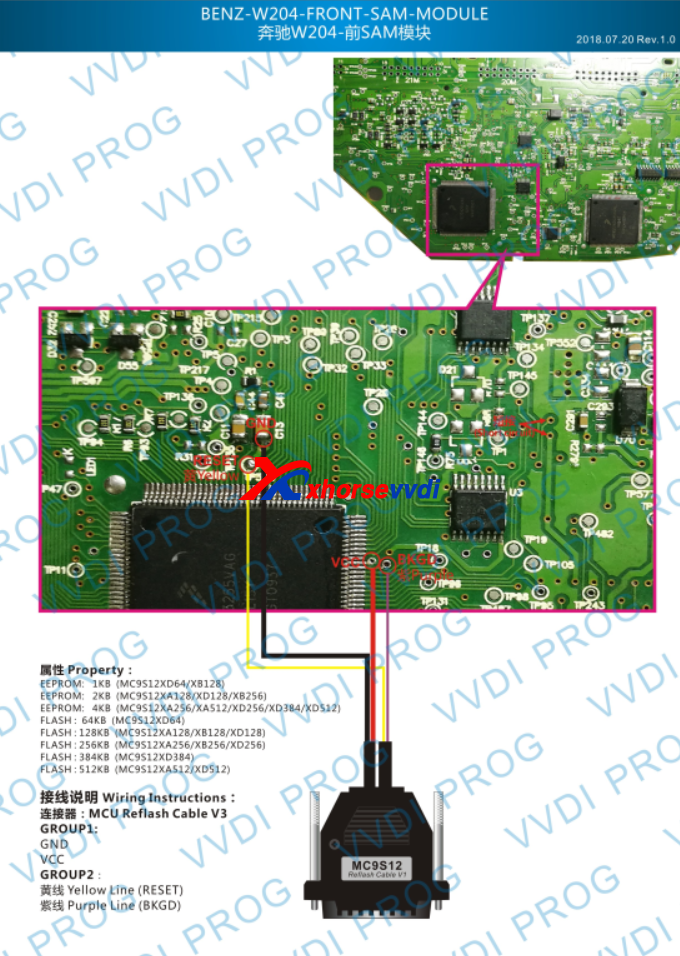
Root Cause: Missing Pad Jumpers & Connection Errors
-
Unshorted Circuit Pads: The connection wiring diagrams often require specific solder pads to be short-circuited (jumped) before writing. If left unjoined, the module will allow a flash read and erase, but block incoming write commands.
Feedback:
The issue was I had not short circuit the pads
3 Quick Steps to Fix VVDI PROG/ Multi Prog Error
-
Verify the Connection Diagram: Open your VVDI Prog/Multi Prog software and double-check the specific diagram for your board revision. Ensure all designated pads are properly shorted with a clean solder bridge or jumper wire.
-
Eliminate Extension Cables: Avoid using aftermarket extension cables, adapters, or breadboards. Connect using only the original wiring harness provided with your VVDI Prog or Multi-Prog to prevent voltage drops or signal interference during the write phase.
-
Inspect Solder Joints & Power: Ensure a stable power supply is connected to your programmer and that all solder points are solid with zero wire bridging. And VVDI PROG will need extra 12V power supply if needed.


 Whatsapp:
 Skype: