
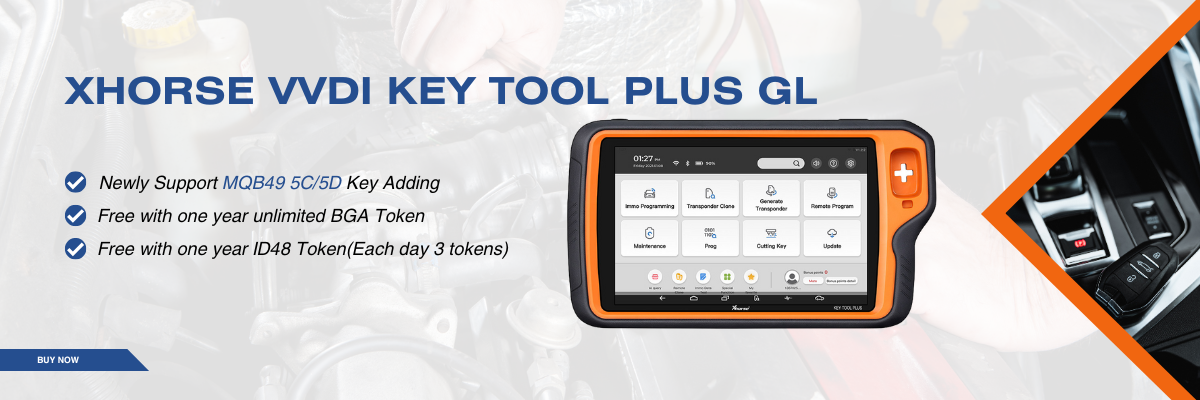



When you’re unsure which remote option to generate for a specific vehicle, Remote Cloud Recognition offers a fast, accurate, and reliable solution. This smart function automatically identifies the exact remote type by testing the signal and analyzing cloud-based data—saving time and avoiding costly mistakes.
Supported Xhorse Tools
Remote Cloud Recognition is supported by the following Xhorse key programming devices:
KEY TOOL PLUS
KEY TOOL MIDI
KEY TOOL MAX PRO
KEY TOOL MAX
MINI KEY TOOL
These tools are widely used by professional locksmiths and automotive technicians for efficient key and remote programming.
Step-by-Step Example (Using VVDI Key Tool Max Pro)
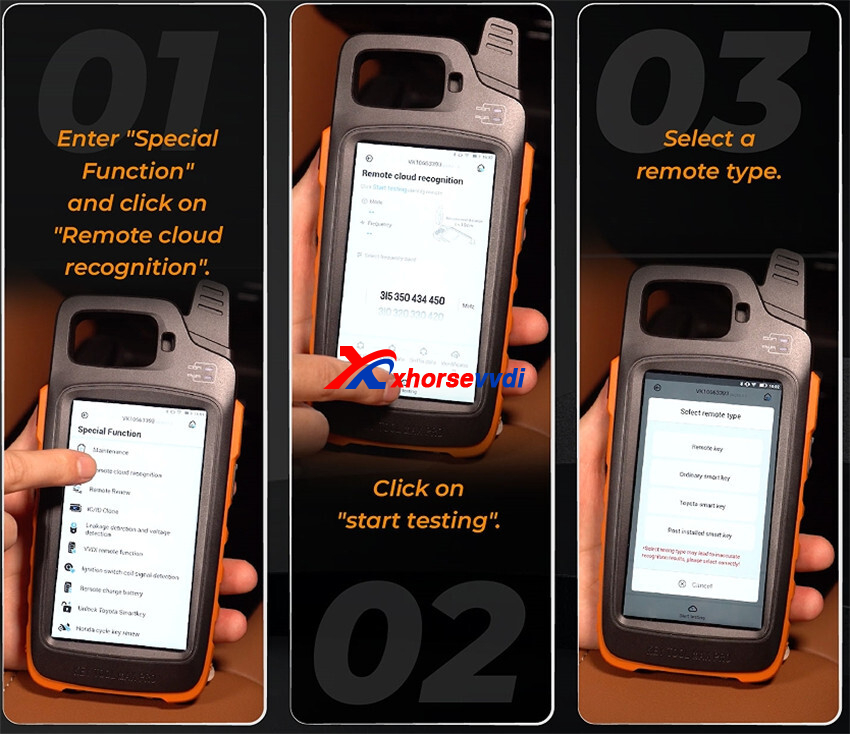
Step 1: Enter “Special Function” and select “Remote Cloud Recognition.”
Step 2: Click “Start Testing” to begin the recognition process.
Step 3: Select a remote type from the list shown on the screen.
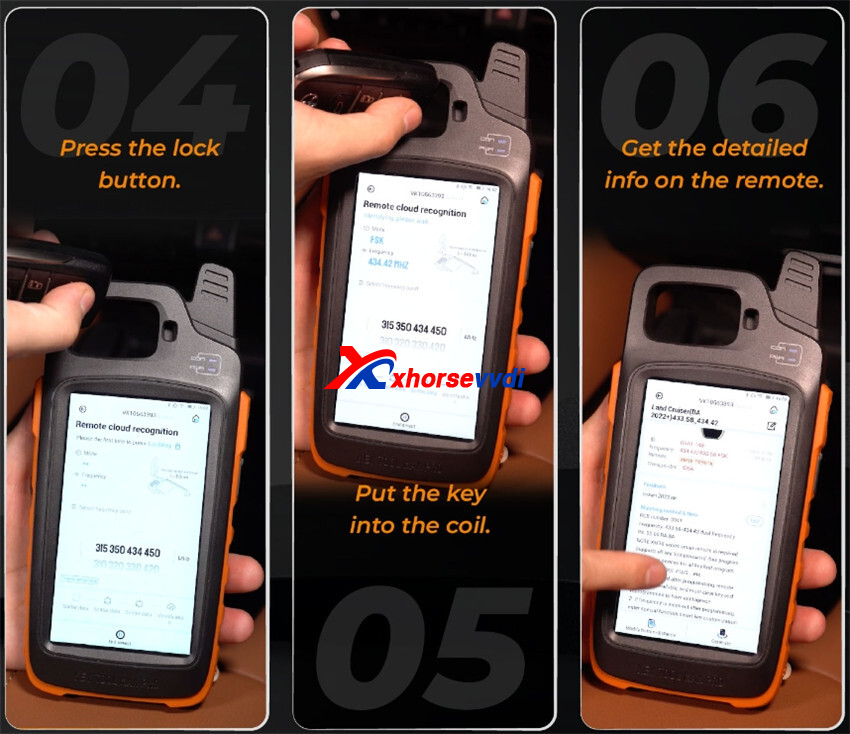
Step 4: Press the Lock button on the remote.
Step 5: Place the key or remote into the coil area of the device.
Step 6: Wait a moment while the system processes the data. The tool will then display detailed information about the remote, including the correct type and specifications.
Why Use Remote Cloud Recognition?
- Quickly determines the exact remote type
- Reduces trial-and-error during key generation
- Cloud-based data ensures high accuracy
- Works seamlessly with multiple Xhorse tools
- Ideal for both beginners and professionals
Remote Cloud Recognition is an essential feature when dealing with unfamiliar vehicles or uncertain remote options. With just a few simple steps, Xhorse tools like the VVDI Key Tool Max Pro can precisely identify the correct remote, making your workflow faster, smarter, and more professional.
Skype: xhorsevvdi.com
Whatsapp: https://wa.me/8613983756354


 Whatsapp:
 Skype: