

Will Xhorse VVDI Prog program the old Chevrolet sail 2005?
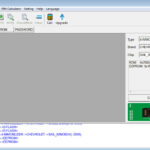
The answer is YES! VVDI PROG Immobilizer supports Chevrolet sail -2009, also supports sail 2005. The Connection diagram : Adapter option:MCU Reflash Cable V3 https://www.xhorsevvdi.com/

The answer is YES! VVDI PROG Immobilizer supports Chevrolet sail -2009, also supports sail 2005. The Connection diagram : Adapter option:MCU Reflash Cable V3 https://www.xhorsevvdi.com/
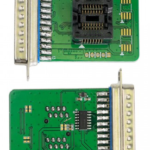
VVDI Prog is designed to read&write ECU data. You can enlarge its chip type coverage and enhance its functionality by optional adapters like M35080/D80 Adapter, PCF79XX Adapter… Note: 1.DO NOT click firmware upgrade in VVDI Prog Programmer software, its firmware is always 2.0 version, no… Continue Reading
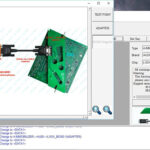
Xhorse BCM2 Adapter is designed for Audi key programming. It allows you to read lock BCM2 without soldering. It needs to work with VVDI Key Tool Plus or VVDI2+VVDI Prog. Here Xhorsevvdi brings you how to use it with VVDI2+VVDI Prog. Video tutorial: How… Continue Reading
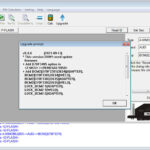
The latest V5.0.6 VVDI Prog software is released! This version is able to support 2013-2019 AUDI BCM2 add keys and all keys lost Here is V5.0.6 VVDI Prog free download link from xhrosevvdi.com: https://mega.nz/file/kdMjXQRK#CLOGfUxGMUlgJX3gU0QAW4isC9QQ0XpZcf5E3yIcMtA Password:123456 2. V5.0.5 VVDI Prog Update Information… Continue Reading
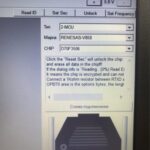
When use vvdi prog read Range Rover velar 2018 ecu, get the error frequency setting not right. The blue part is the selection frequency 05000, frequency 06000 Please check whether install the resistor like diagram If already have the… Continue Reading
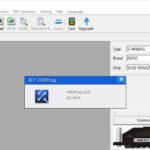
V5.0.5 VVDI Prog software is released! here is V5.0.5 VVDI Prog free download link from xhrosevvdi.com. 1.Free Download V5.0.5 VVDI Prog Software 2021.7.29 https://mega.nz/file/VI1i0RSK#DZPhvq3C7Kh7dvEm_7xtgOlUr3o2cuMKmVENkHaXNCg Password:123456 2. V5.0.5 VVDI Prog Update Information * This version DON’t need update firmware + Add… Continue Reading
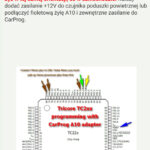
Regarding TC222 SRS with Xhorse VVDI Pro. Change to 2-MCU–>INFINEON-TC2XXX–>TC22X-16F [2021-07-16 11:53:14] : Change to <DFLASH> [2021-07-16 11:53:14] : Change to <DFLASH> [2021-07-16 12:02:28] : Change to <DFLASH> [2021-07-16 12:02:29] : Change to <DFLASH> [2021-07-16 12:02:49] : Check Device… [2021-07-16… Continue Reading
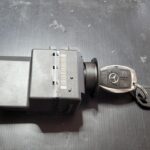
Xhorse VVDI Prog EZS Adapter for Benz EIS/EZS W164 W169 W203 W209 W211 W215 W639 is in stock now, and it can work with VVDI Prog/ key tool plus. Here is one review about VVDI MB Tool and VVDI Prog… Continue Reading
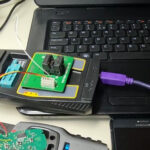
Feedback: use the Xhorse VVDI Prog and VVDI MINI KEY TOOL to unlock the remote key easy and quickly Today’s test: Unlock BMW F Series PCF 7945P Remote Key Step 1. use the Xhorse VVDI MINI KEY TOOL to read the chip type: Step… Continue Reading
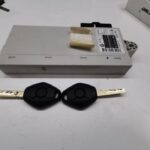
VVDI Prog can read BMW EWS, CAS1-4. And here is one review about BMW E60 all key lost, the cas is like the following pic. Find related CAS type in VVDI Prog software. Check the connection diagram. Do wiring like… Continue Reading
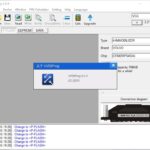
V5.0.4 VVDI Prog software is released. Here is the V5.0.4 VVDI Prog free download link from XhroseVVDI.com 1.Free Download V5.0.4 VVDI Prog Software https://mega.nz/file/FVV1XKaI#7679O9vDkuct_LyC1LOtqvlGQD-MAzQMzUiaCUP5VIA Password:123456 2.V5.0.4 VVDI Prog Update Info: * This version DON’t need update firmware + Add PIC18XX25K80,… Continue Reading
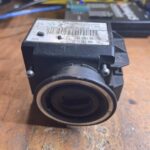
VVDI Prog can support read Benz EZS W169, and with VVDI PROG EZS Adapter is OK, if without the EZS Adapter, do wiring is OK too. Here is the guide. 1.Remove the EZS. 2. Start vvdi prog software, and choose… Continue Reading
 E-mail:sales@xhorsevvdi.com
 Whatsapp: +86-13983756354
 Live Chat: Online Service
 Skype: xhorsevvdi.com