
Xhorse VVDI Remote Quick Guide: Detection, Query & Smart Cloning

Xhorse Vvdi Remote Quick Tips Detection Query Cloning 1

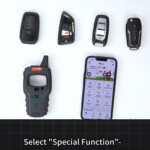
Xhorse VVDI Remote Keys are designed to make remote identification, diagnostics, and cloning faster and more reliable. With just a few built-in functions, locksmiths and technicians can quickly understand a remote’s status and even clone it without going through a… Continue Reading

Xhorse Key Tool Series: How Remote Cloud Recognition Works?

Use Remote Cloud Recognition For Key Tool Max PRO 1

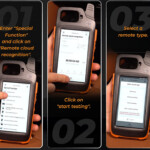
When you’re unsure which remote option to generate for a specific vehicle, Remote Cloud Recognition offers a fast, accurate, and reliable solution. This smart function automatically identifies the exact remote type by testing the signal and analyzing cloud-based data—saving time… Continue Reading

Xhorse VVDI Key Tool MIDI Advanced Version vs. Key Tool Max Pro

Vvdi Key Tool Midi Advanced Version Vs Key Tool Max Pro

When choosing a professional automotive key programming tool, understanding the differences between models is essential. The image compares two popular devices from Xhorse: Key Tool Max Pro and Key Tool MIDI (Advanced Version), focusing mainly on their immobilizer (IMMO) programming… Continue Reading

How to process real-name authentication in Xhorse APP/ Key Tool Series?

How To Process Real Name Authentication In Xhorse App Key Tool Series

Use Xhorse VVDI MINI/Max to do ID46 clone, but it asks for the step: Personal information not authorization, pleasego toAccount-Personal information to uploadbusiness ficense and filing information. Just like the following photo display Then please do the real name authentication… Continue Reading