


How to Measure the New Version Battery for Xhorse Dolphin XP005 / XP005L Key Cutting Machine?
Purpose
This guide explains how to check whether the new version battery (XP05BAGL) is in good or faulty condition. By following the steps below, you can quickly diagnose both the battery cell and the BMS (Battery Management System).
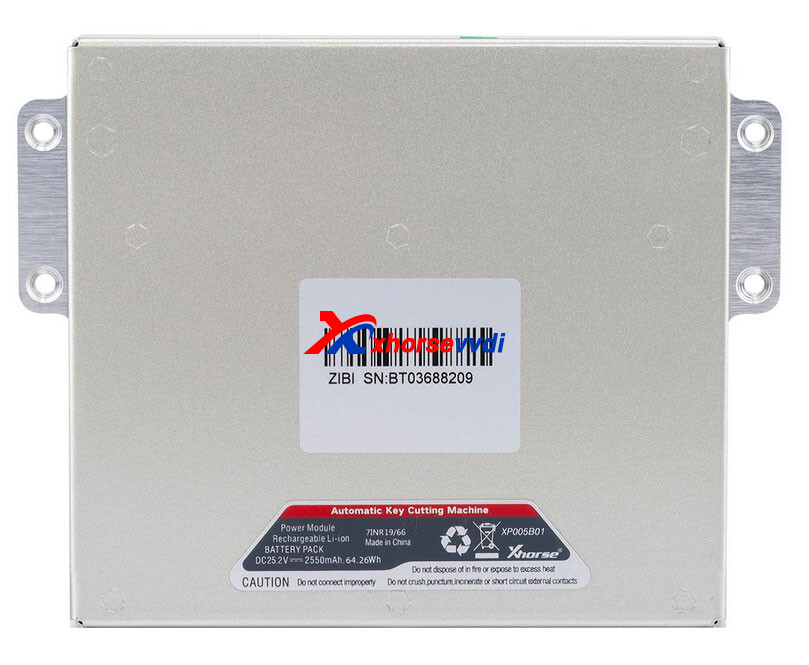
Preparation
- Remove the battery from the machine
- Unscrew the 8 screws on the battery housing
- Open the back cover to view the internal layout
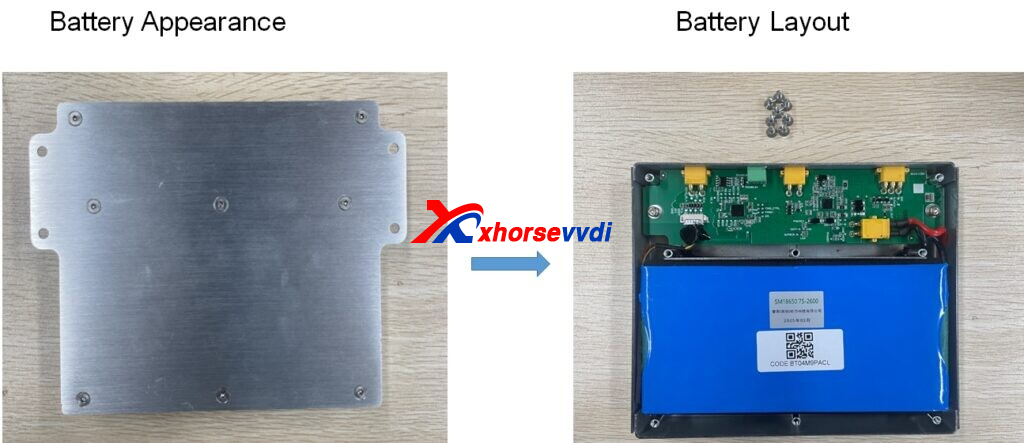
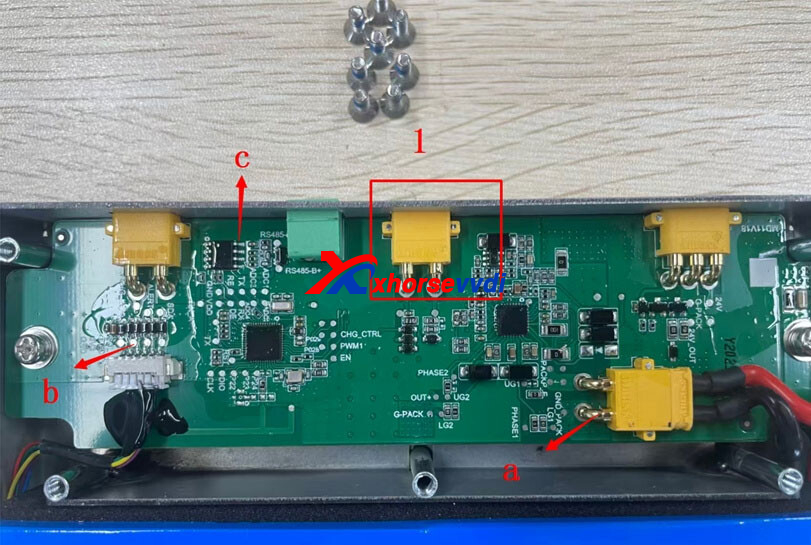
Battery Layout Overview
- PWR ON → Power switch
- a (GND) → Ground
- b (3V) → VCC 3V output
- c (5V) → VCC 5V output
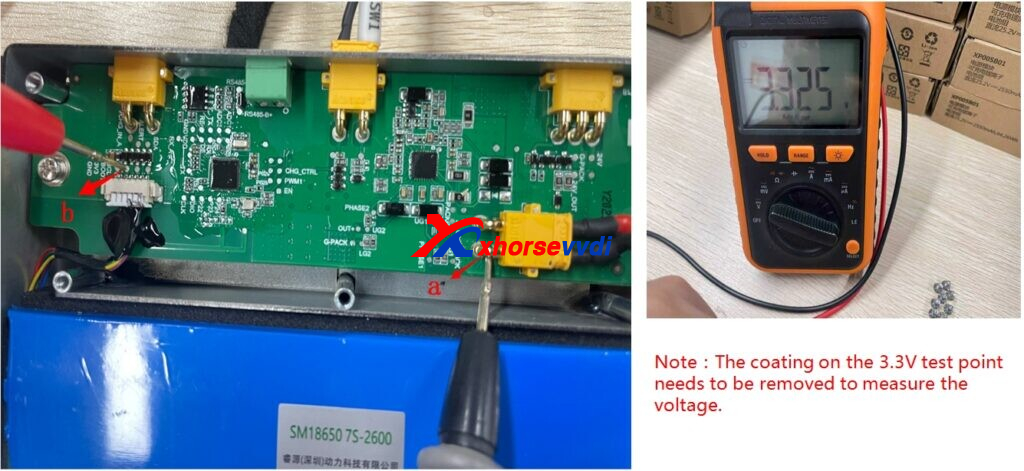
1. Battery Cell Measurement
Steps:
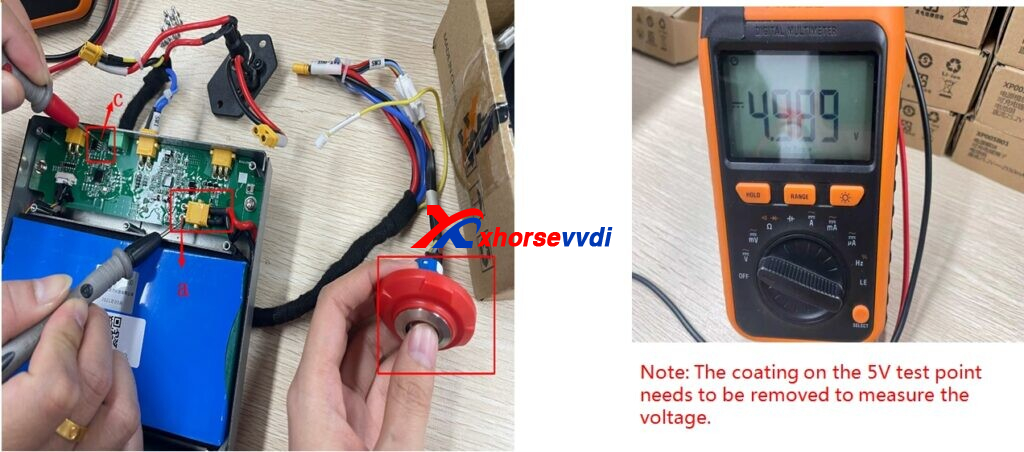
- Locate the 3.3V test point on the board
- Remove the protective coating if necessary
- Use a multimeter to measure the voltage
Result:
- ≈ 3.3V → Battery cell is GOOD ✅
- Low or no voltage → Battery cell is BAD ❌
2. BMS (Battery Management System) Measurement
2.1 Method A (Back Cover Removed)
Steps:
- Turn ON the power switch (PWR ON)
- Locate the 5V test point
- Remove coating if required
- Measure voltage using a multimeter
Result:
- ≈ 5V → BMS is GOOD✅
- No or abnormal voltage → BMS issue❌
2.2 Method B (Without Removing Back Cover)
Steps:
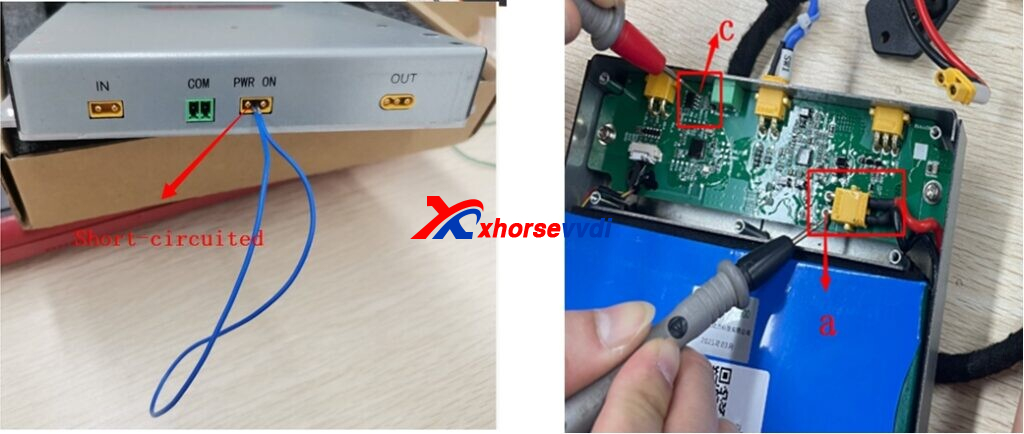
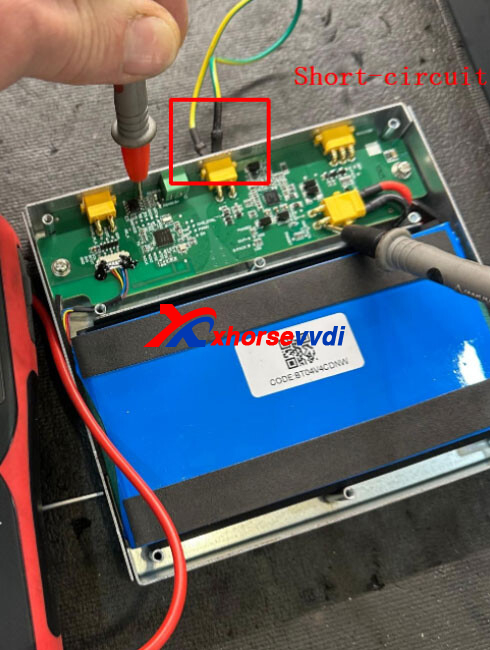
- Short-circuit the PWR ON point as shown in the diagram
- Measure voltage between:
- a (GND) and c (5V)
- Check the reading
Result:
- ≈ 5V → BMS is GOOD✅
- No voltage → BMS may be faulty❌
Important Notes
- Always remove the coating on test points before measuring
- Ensure correct multimeter probe placement
- Turn on the power switch when required
- Handle the battery carefully to avoid short circuits
By checking both the battery cell (3.3V) and BMS output (5V), you can quickly determine whether the Xhorse XP05BAGL battery is functioning properly. This simple diagnostic method helps avoid unnecessary replacements and ensures your Xhorse Dolphin XP005 / XP005L operates reliably.
Skype: xhorsevvdi.com
Whatsapp: https://wa.me/8613983756354


 Whatsapp:
 Skype: