


Problem:
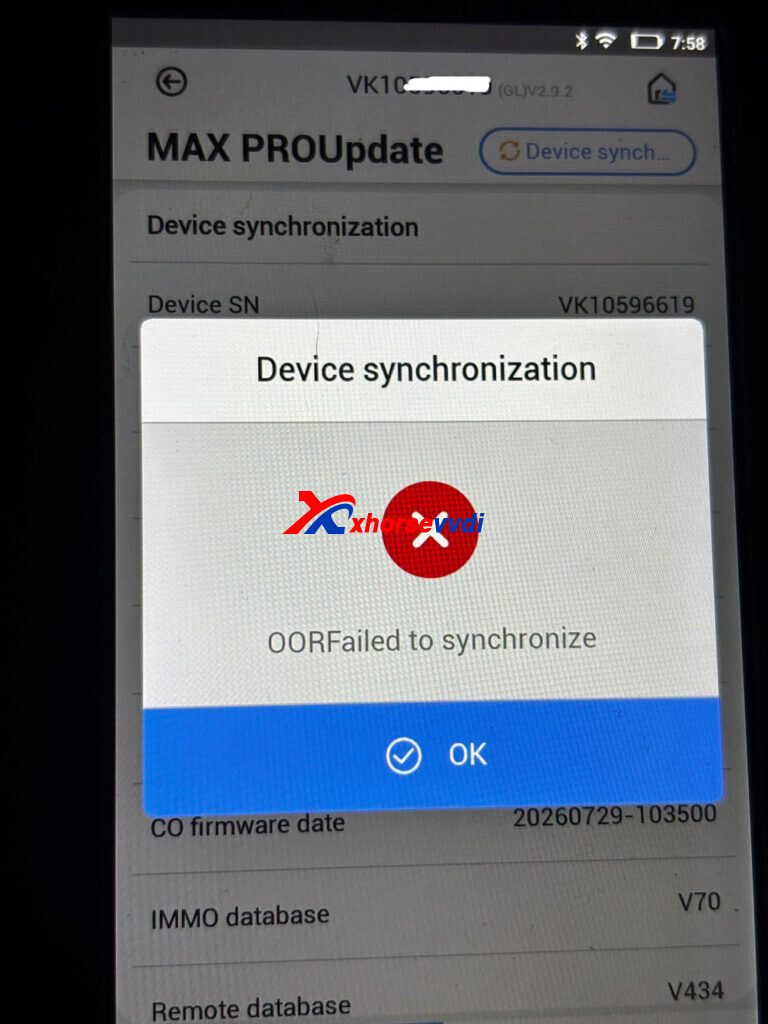
My Xhorse Key Tool Max Pro keeps asking me to synchronize, but an error appears when I try to do so. Could anyone please help me figure out how to fix this issue?
Error: OOR Failed to Synchronize.
Possible Solutions:
1). Go to Settings and try switching to a different server.
2). Try Using a Mobile Hotspot:
Disconnect the device from your shop’s Wi-Fi.
Enable a 2.4GHz mobile hotspot on your phone and connect the Key Tool Max Pro to it.
Try updating the software or syncing the device again using mobile data.
If none of these methods work, there may be a firmware issue. Contact Xhorse customer support to check whether the device requires repair.
Skype: xhorsevvdi.com
Whatsapp: https://wa.me/8613983756354


 Whatsapp:
 Skype: