



I have an Xhorse Key Tool Plus and for some reason it’s not connecting to any of the cars it’s failing to connect and it doesn’t diagnose any cars either. When I connect it to vehicles OBD port, it displays battery voltage of car that I’m working on and seems like it connects to it properly but I’m not able to program keys or even diagnose cars because it says failed to connect on parts where it’s not supposed to. I have another key tool plus and it connects properly and every time but this one has a problem with it. Any idea on what it may be? Yes I’ve tried swapping OBD cables.
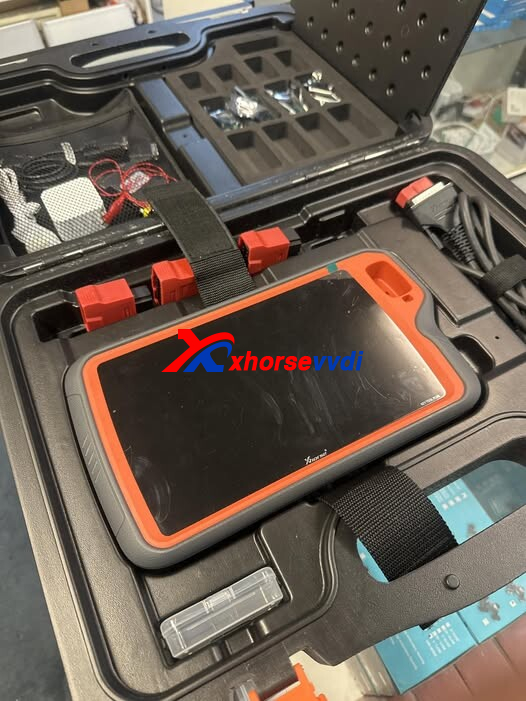
Possible Causes and Solutions:
Based on user feedback and real-world experience, here are several effective troubleshooting steps you can try:
1.Check CAN-H and CAN-L Communication
The issue may be related to CAN-H or CAN-L signal lines. Even if voltage is present, unstable or broken CAN communication can cause connection failures during diagnostics or key programming.
2.Inspect or Replace the Main OBD Cable
Several users reported similar symptoms caused by a faulty main OBD cable. Replacing the primary OBD wire (not just swapping temporarily) resolved the issue and restored normal communication.
3.Factory Reset and Online Reinstallation
Perform a full factory format on the Key Tool Plus and reinstall the system online. This can fix software corruption or configuration issues that may block proper vehicle communication.
Try the above methods step by step, and in most cases, the tool will return to normal operation.
Skype: xhorsevvdi.com
Whatsapp: https://wa.me/8613983756354


 Whatsapp:
 Skype: