


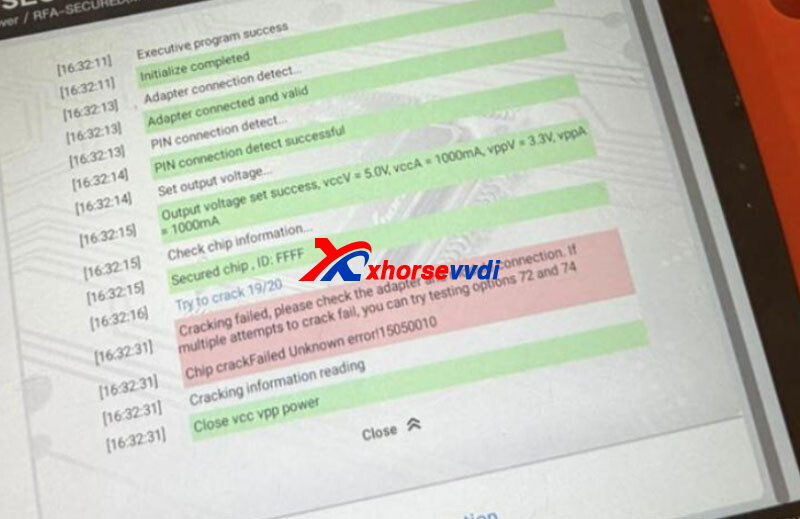
When using Xhorse VVDI Key Tool Plus to program Land Rover or Jaguar smart keys, some users may encounter error 15050020 during KVM or RFA module communication.
Typical error message:
“Communication failed. Please check the wiring and adapter connection. If multiple attempts fail, try special mode reading. Unknown error! 15050020”
This issue is commonly related to unstable communication between the programmer and the vehicle’s KVM/RFA module during the security data reading process.
Common Symptoms
You are likely facing this issue if:
- Device freezes during “Reading Security Data”
- KVM or RFA module cannot be identified
- Error 15050020 appears repeatedly
- Key programming process stops midway
- Multiple retries still fail
Main Causes
In most cases, error 15050020 is caused by:
- Loose adapter connection
- Unstable power supply voltage
- Poor contact on wiring pins
- Incorrect adapter installation
- Communication interruption during data reading
It is usually not caused by hardware failure of the VVDI Key Tool Plus itself.

Quick Fix (Recommended Solution)
1. Check and Reconnect All Connections
Before trying advanced solutions:
- Disconnect the adapter and module completely
- Reconnect all cables firmly
- Check whether pins are bent or loose
- Ensure stable external power supply
- Retry the operation 2–3 times
This resolves most cases of error 15050020.
Use Special Reading Mode
If the standard reading process still fails, try the alternative test function mode.
Path: Prog → More Functions → Other → Test Function
Then:
- Select special communication mode
- Retry reading the KVM/RFA module
- Repeat with another test option if necessary
This method can bypass unstable default communication protocols and improve success rate.
Additional Tips
- Keep battery voltage above 12V during programming
- Avoid moving cables during reading process
- Use original Xhorse adapters whenever possible
- Clean module connector pins if corrosion exists
- Restart the device before retrying
Frequently Asked Questions
Why does VVDI Key Tool Plus show error 15050020?
Because communication between the device and the Land Rover/Jaguar KVM or RFA module becomes unstable during the reading process.
How do I fix communication failed error on VVDI Key Tool Plus?
Reconnect the adapter and wiring first, then retry using special test communication modes.
Is error 15050020 a hardware problem?
Usually no. Most cases are caused by poor connection, unstable voltage, or communication interruption.
Which vehicles are commonly affected?
Mainly Jaguar and Land Rover models equipped with secure KVM or RFA modules, especially 2018+ vehicles.
Final Notes
Error 15050020 is a common communication issue during Jaguar and Land Rover key programming. In most situations, carefully reconnecting the adapter and retrying the reading process solves the problem quickly.
If the standard method repeatedly fails, using the alternative communication test mode can significantly improve the success rate.
Skype: xhorsevvdi.com
Whatsapp: https://wa.me/8613983756354


 Whatsapp:
 Skype: