
Having clamp issues with your Xhorse Condor XC002 Pro Manual Key Cutting Machine? Here’s the fix.
1.Take out a random key and verify (Refer to the chart below)
Ensure the cruciform notch on the key’s tip is properly aligned.
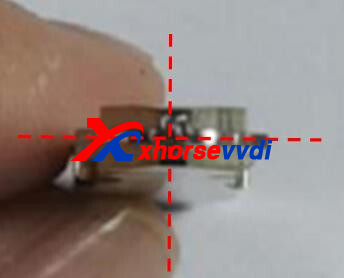
Ensure the cruciform notch on the key’s tip is properly aligned.

Ensure the cross-star and side thickness are consistent.
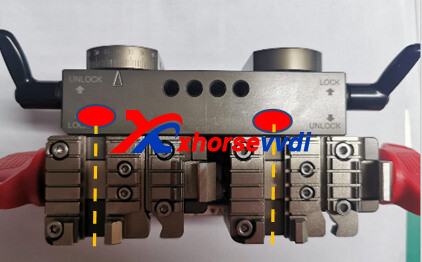
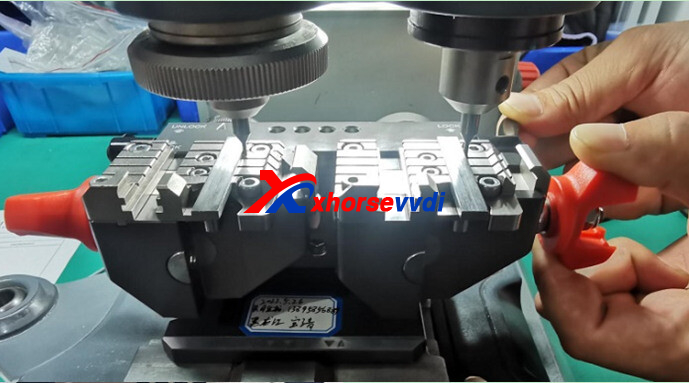
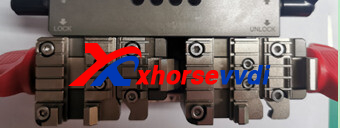
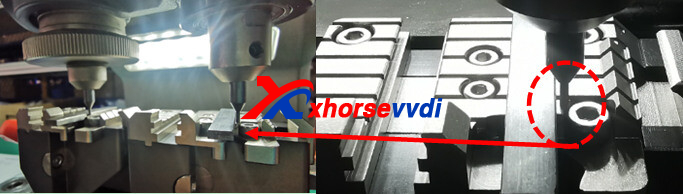
2.Adjust the twin probes to a level position on the fixture body (marked by the red dot).
(Note: The main body surface is non-conductive; no indicator light activation will occur.)
3.Slide probes at red mark (move left and right) to check if both turntables are level.
4.Secure key blank in Fixture-B and validate gap tolerance
(Note: 0.05mm gauge insertion prohibited)
5.If clearance exceeds tolerance:
① Loosen the black handle on the corresponding rotary table
② Fine-tune the turntable rotation, then re-tighten
Ensure the cruciform notch on the key’s tip is properly aligned.

③ Recheck until clearance is within 0.05mm specification
Skype: xhorsevvdi.com
Whatsapp: https://wa.me/8613983756354


 Whatsapp:
 Skype: