


The Xhorse VVDI Key Tool Plus is a powerful and reliable solution for working with VAG MQB49 5C/5D immobilizer systems. In rare cases, however, users may experience an issue where the tool cannot display the required key wiring diagram during key data reading. This article explains the cause of the “Failed to obtain image” error and provides a simple, effective solution.
Problem:
When reading VAG MQB49 5C key data, the VVDI Key Tool Plus may fail to load the wiring diagram. Instead, the screen displays the error message:
“Failed to obtain image”
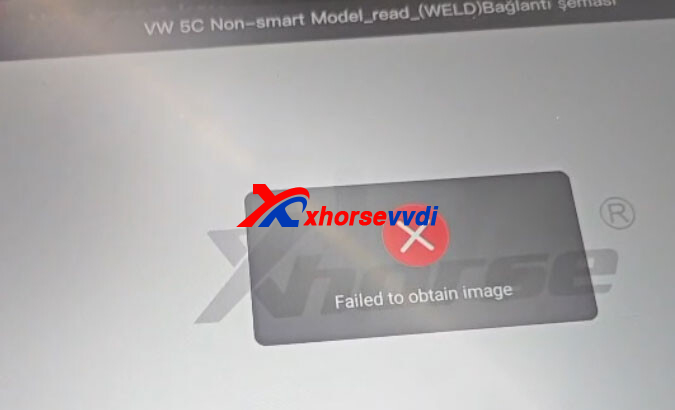
This issue can interrupt the workflow and prevent proper key data reading.
Solution: How to Resolve the Error
If you encounter this message, try the following two methods, which resolve the issue in most cases:
1.Change Network Connection
Switch to a different Wi-Fi network or use a mobile hotspot. This helps eliminate network instability or server timeout problems.
2.Redownload Databases
Open the Update Center on the Key Tool Plus and redownload both the IMMO and Programming (Prog) databases. This replaces any missing or corrupted files that may prevent images from loading.
Summary of Steps
| Error | Root Cause | Solution |
| Failed to obtain image | Connection or Database Glitch | Change Network or Redownload Databases |
3.If still not working, please change the server to Chinese one to try.
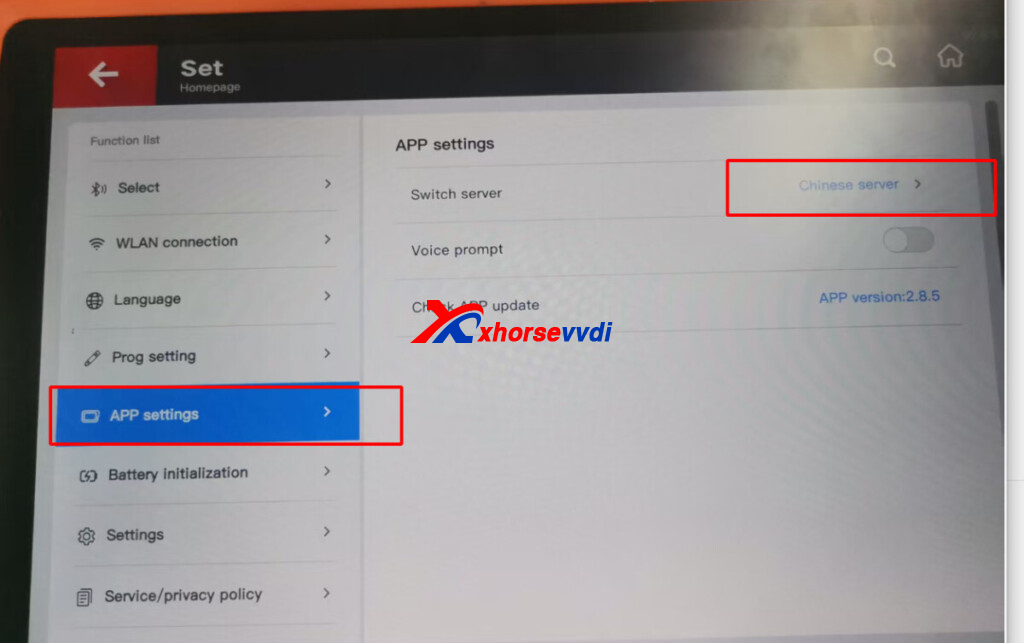
4. Previous steps all not working, try the factory reset.
I performed a factory reset and it fixed the problem.
Technical Support & Resources
If the issue persists or you need assistance with the latest Xhorse functions and updates, visit
www.XhorseVVDI.com
There you’ll find professional technical support, authentic Xhorse products, and detailed programming guides designed to support locksmiths and automotive professionals.
Skype: xhorsevvdi.com
Whatsapp: https://wa.me/8613983756354


 Whatsapp:
 Skype: