
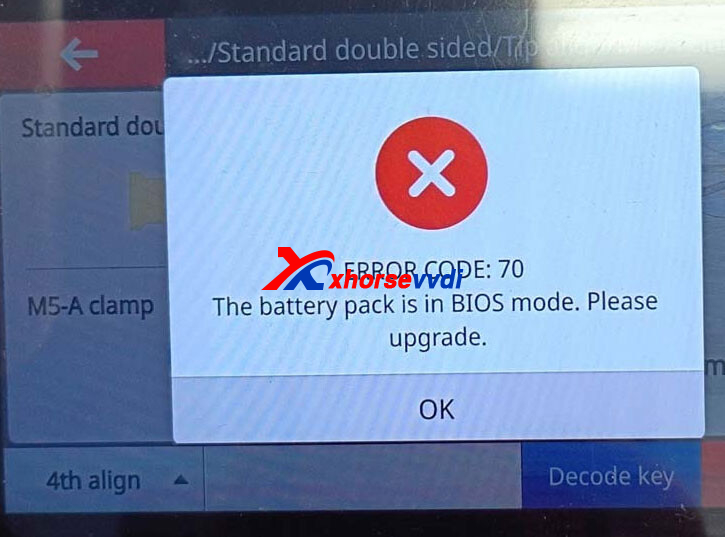
The Xhorse Dolphin XP005L keeps showing Error Code 70, while the battery pack is stuck in BIOS mode and refuses to charge.
Solution:
- Connect the Dolphin XP005L to a stable power source.
- Connect the machine to your phone through the Xhorse App.
- Go to Update/Upgrade and update both the firmware and database to the latest versions.
- Make sure you have a stable Internet connection. If the update fails, try using your phone’s mobile hotspot.
- If the update cannot be completed through the phone, connect the XP005L to a computer and use the Xhorse Upgrade Kit to perform the update. For Error Code 70, the official troubleshooting documentation specifically recommends using the Upgrade Kit when the mobile update fails.
After completing the update, restart the Dolphin XP005L and check whether the battery exits BIOS mode and begins charging normally.
Customer Feedback:
UPDATE! It’s already solved. Here’s the method that worked for me:
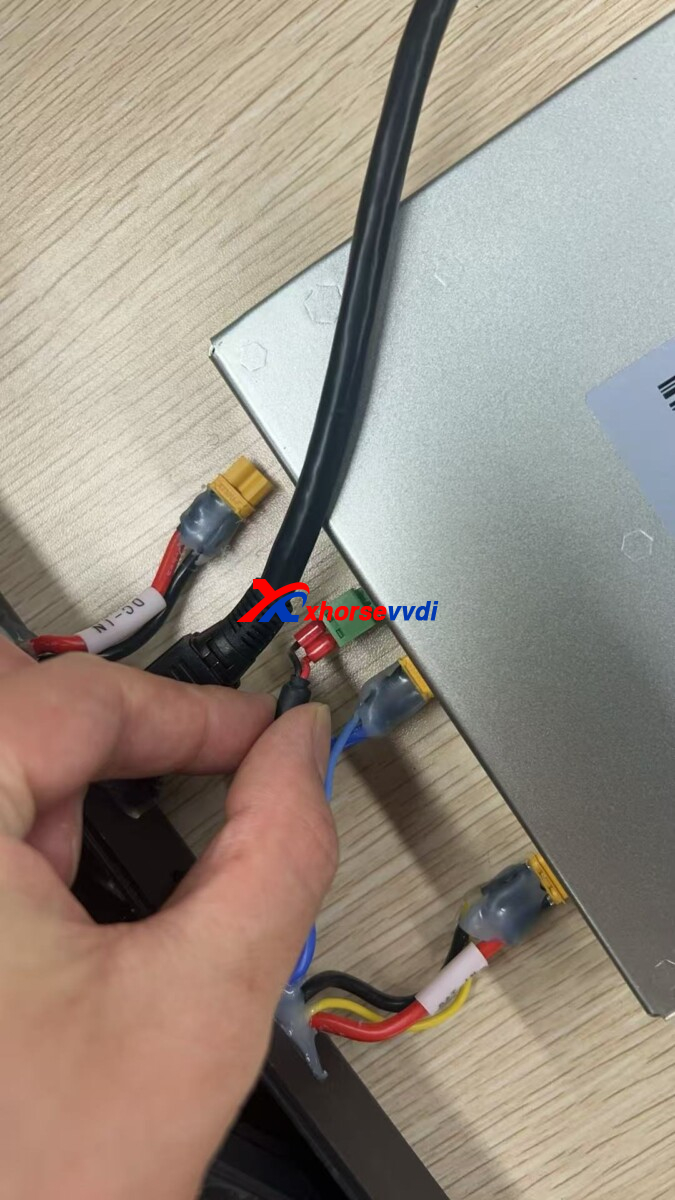
- Remove the cover where the battery is located and disconnect the green connector.
- Turn on the machine with the charger connected while the green connector is still disconnected.
- Update the firmware. The update should take around 11 minutes.
- Once the update is complete, reconnect the green connector and run the firmware update again.
- Restart the machine.
After following these steps, the machine should be back to normal and working properly.
Skype: xhorsevvdi.com
Whatsapp: https://wa.me/8613983756354


 Whatsapp:
 Skype: