


Reading original BMW G-Series BDC3 key data requires a stable and accurate connection. The Xhorse BMW BDC3 XDNP11 Clip Adapter works with the VVDI Key Tool Plus to provide a solder-free solution, reducing the risk of PCB damage and making the process faster and safer. Follow the step-by-step guide below to connect the adapter correctly.
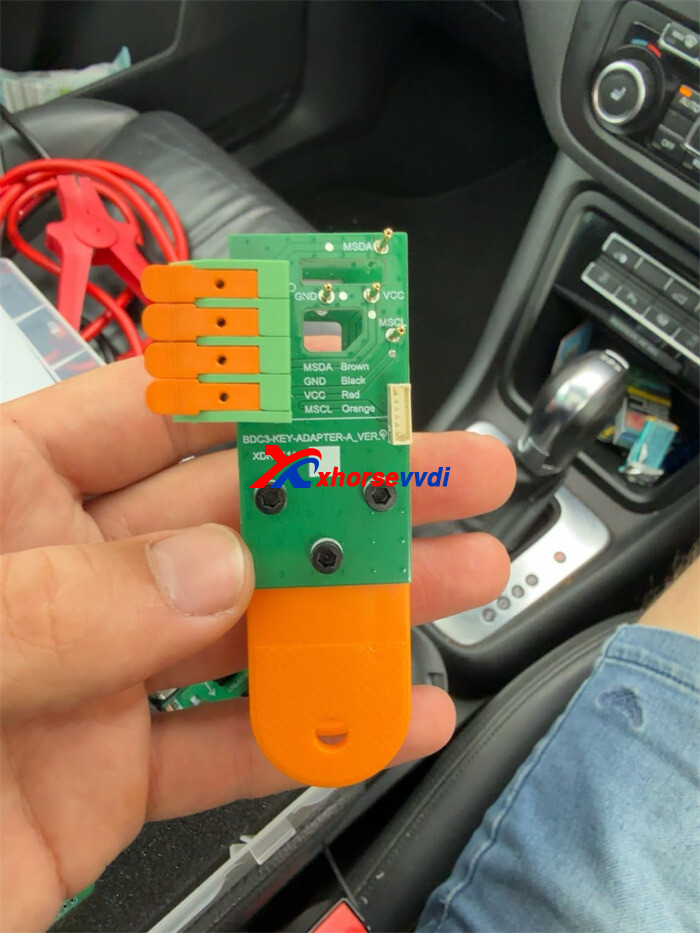
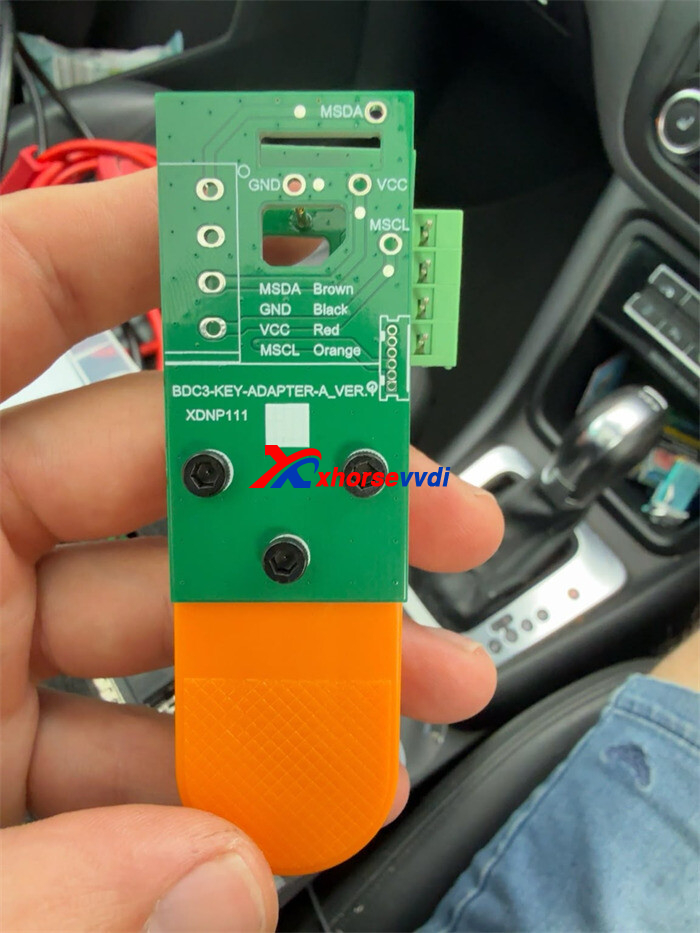
Prerequisites: Hardware Setup
- Main Tablet:Xhorse VVDI Key Tool Plus Pad
- Adapter Kit:BMW G-Series BDC3 Clip Adapter(XDNP11)
- Connection Interface:Dedicated MCU Cable
Step-by-Step Connection Guide
Step 1: Install the XDNP11 Clip onto the BMW Key
- Take the original BMW G-Series BDC3 key PCB.
- Align the MSDAand MSCL pins on XDNP11 adapter precisely with the corresponding points on the key circuit board.
- Clamp the adapter securely into place.
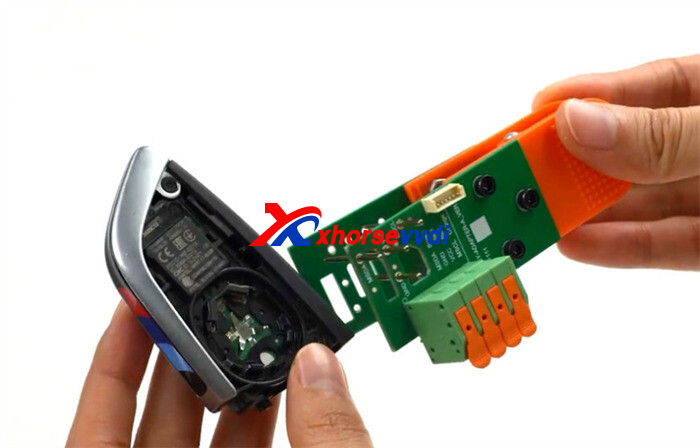
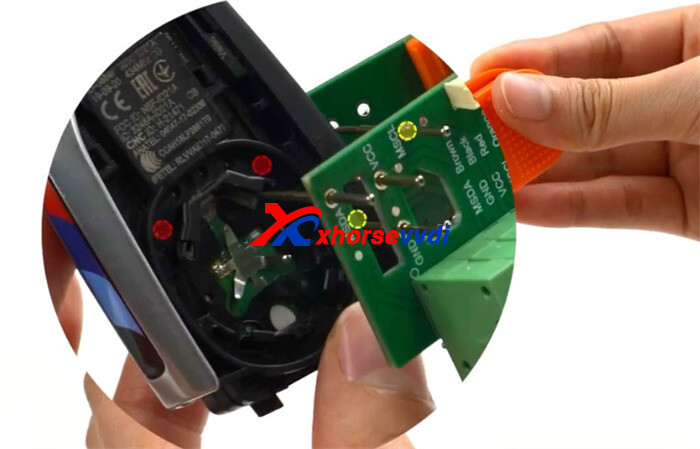
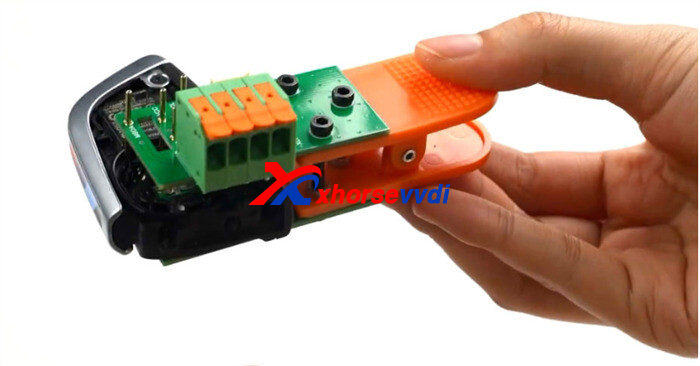
Step 2: Configure Xhorse Key Tool Plus Software
- Power on your Xhorse Key Tool Plus.
- Navigate to the [BMW BDC3 key reading (adapter)]
- Review the on-screen connection diagram provided by the device interface.
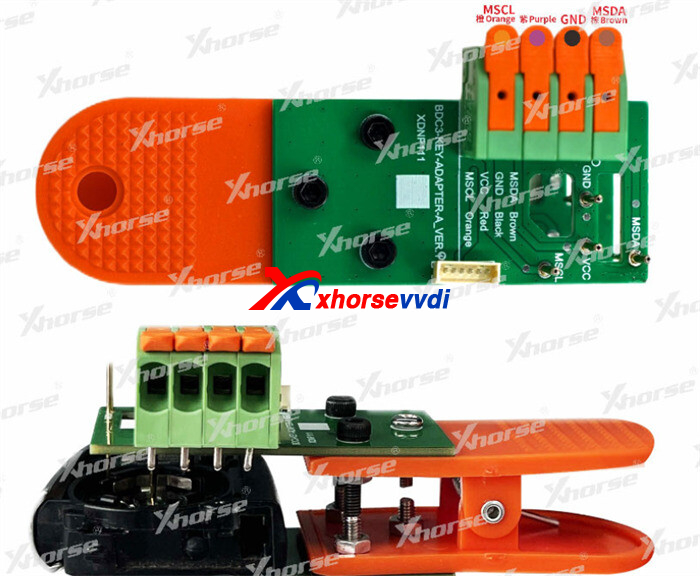
Step 3: Wire the MCU Cable (Pinout Definition)
Connect XDNP11 clip adapter to the Key Tool Plus using the MCU cable according to the following wiring configuration:
| MCU Cable Wire Color | Target Pin |
| Orange | MSCL |
| Purple / Red | VCC |
| Black | GND |
| Brown | MSDA |
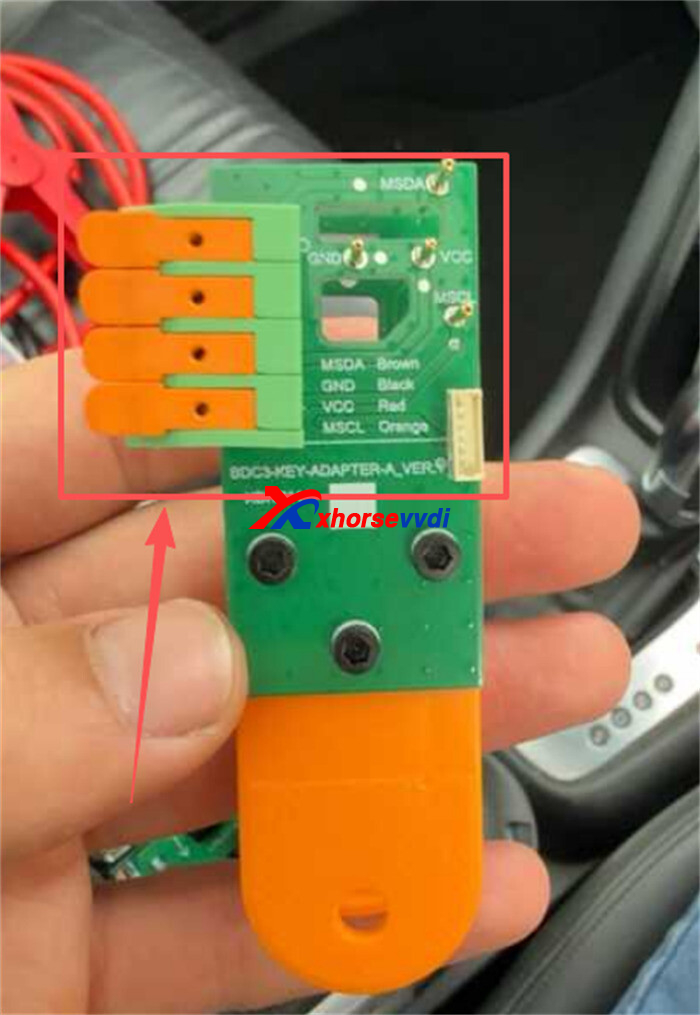
Step 4: Secure the Wiring Interface
- Flip the orange latchupward on the connector.
- Insert the MCU wiring harness firmly.
- Press the orange latchback down to lock the wiring in place.
- Ensure the adapter remains clipped firmly onto the key throughout the data reading process.
Skype: xhorsevvdi.com
Whatsapp: https://wa.me/8613983756354


 Whatsapp:
 Skype: