



A 2022 Ford Escape came in with all keys lost. At first glance, it looked like a typical late-model Ford job that would require FDRS access, NASTF authorization, and dealer-level programming. But in reality, it turned out to be much simpler—once the correct key and frequency were identified.
The biggest challenge was not the programming itself, but identifying the correct smart key. These models can use multiple frequencies depending on region and configuration: 315 MHz, 433 MHz, 868 MHz, and even 902 MHz. On top of that, different FCC IDs and key profiles make it even more confusing. VIN lookup didn’t help much, as it showed multiple possible options.
Once the correct key was matched, programming became straightforward using the Xhorse VVDI Key Tool Max Pro (CAN FD supported). The VVDI Key Tool Plus can also perform the same procedure.
What Was Used:
- Xhorse Key Tool Max Pro (CAN FD supported)
- Xhorse universal smart key (Ford-style XM38 / XSFO02EN or correct FCC ID equivalent)
- Stable internet connection (for server authentication)
- Battery charger (maintained above 13V during programming)

Step 1: Don’t Assume Dealer Programming is Required
This 2022 Escape had a sideways emergency key slot, which usually suggests FDRS + NASTF involvement. However, after testing, it was confirmed that direct key programming via Xhorse tool was sufficient.
Always verify with the tool first—don’t rely only on model assumptions.
Step 2: Key Programming Slot Location
On this vehicle, the smart key slot was located under a mat in the front storage area near the center console. The key must be placed face down in this position during programming.
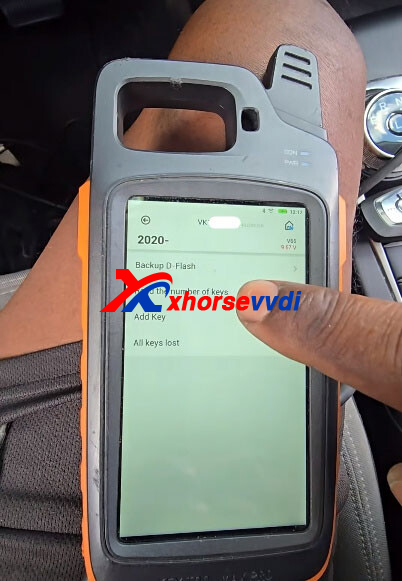
Step 3: All Keys Lost Procedure (Xhorse VVDI Key Tool Max Pro)
A. DFlash Backup (Important Step)
The tool accessed the vehicle via CAN FD protocol and backed up the DFlash data.
No 10-minute security wait was required due to CAN FD architecture.
Data was saved directly in the device.
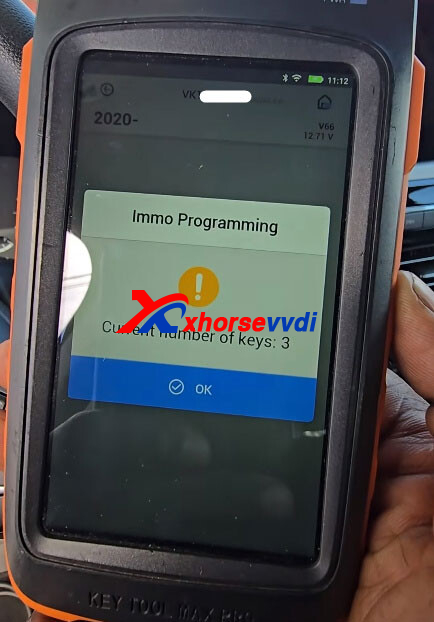


B. Erase Existing Keys
All stored keys were cleared successfully. The system confirmed zero keys remaining before proceeding.


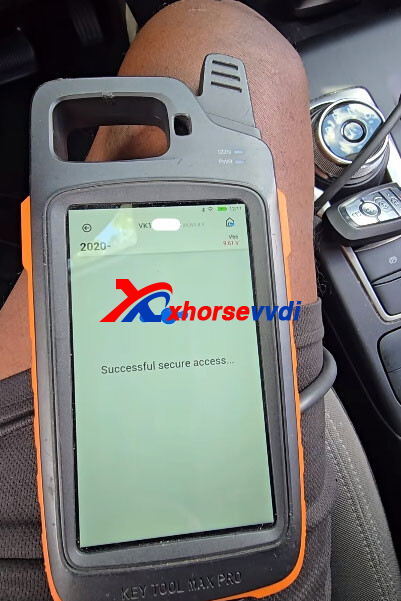
C. Security Access + Server Authentication
The tool requested online authorization and successfully connected to the Xhorse server. A stable internet connection was critical at this stage.

D. Add New Key
The new smart key was placed in the programmed slot face down.
The system recognized the key after following on-screen prompts.
If failure occurs, the first things to check are:
- Battery voltage stability (must stay above 13V)
- Correct FCC ID and frequency match
- Proper key placement in slot


Step 4: The Real Difficulty – Finding the Correct Key
This job was essentially a “key matching” challenge rather than a programming challenge.
Multiple keys were tested:
- Different Ford-style smart keys (various frequencies)
- Universal Xhorse smart keys
- Keys with partial function (lock/unlock only)
Some keys worked for remote functions but failed for passive start. This confirmed that FCC ID compatibility matters more than basic frequency matching.
After testing 6–7 different options, the correct Xhorse universal smart key finally worked fully, including proximity start.
Step 5: Issues Encountered
A few problems appeared during the process:
- Battery drop during programming → vehicle voltage fell below safe threshold and required external charger support
- Wrong FCC ID keys → partial functionality only (remote worked, start failed)
- Incorrect key placement → “No valid key detected” errors until position was corrected
Once these were resolved, programming completed smoothly.
Step 6: Final Result
All keys successfully erased and relearned
New smart key fully programmed
Proximity and start functions working
No FDRS or NASTF required
Job completed using Xhorse CAN FD capability only
The engine itself still required mechanical diagnosis, but the immobilizer system was fully restored.
This 2022 Ford Escape shows that modern Ford key systems are not always dealer-dependent. Even with CAN FD and multiple security layers, success mainly comes down to using the correct key—not complex programming procedures.
Once the correct FCC ID and frequency were identified, the entire programming process took only minutes. The real time loss was in trial-and-error key selection, not the tool or vehicle system.
Skype: xhorsevvdi.com
Whatsapp: https://wa.me/8613983756354


 Whatsapp:
 Skype: