


Are you facing difficulties reading the Renesas V850 D70F3526 MCU using your Xhorse Multi-Prog programmer? A frequent issue users report is the error message: “Chip configuration failed. Error code 08030201. Crystal frequency does not match.”
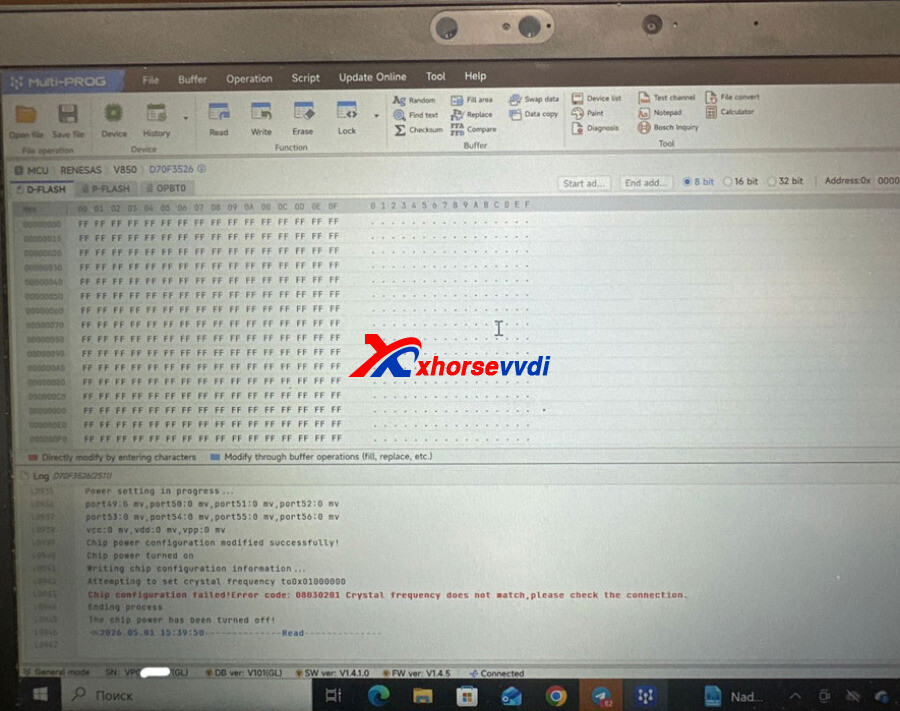
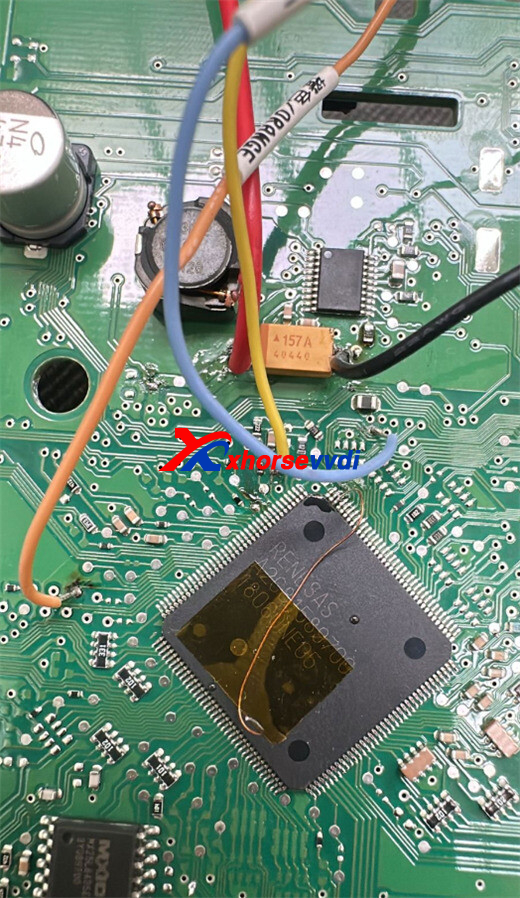
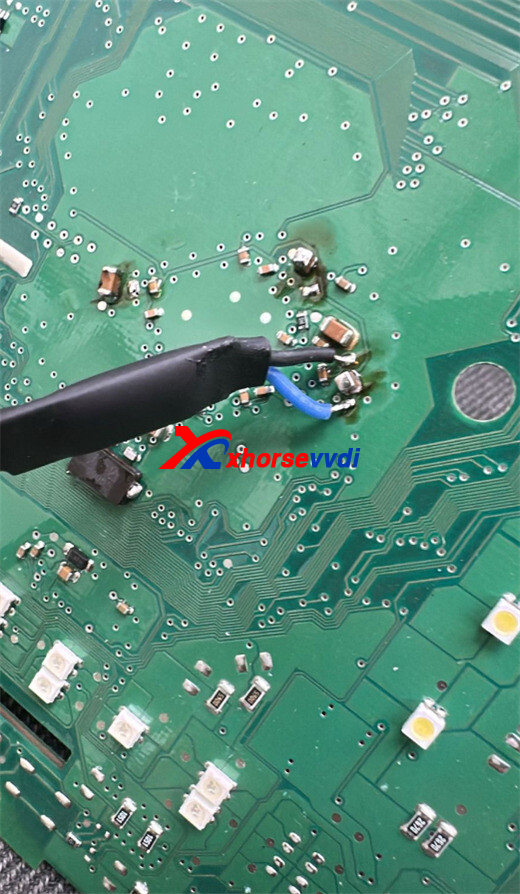
This problem usually points to a communication inconsistency between the programmer and the microcontroller. Luckily, there is a proven hardware solution that can restore proper functionality. Follow the instructions below to fix this issue.
Recommended Solution: Hardware Adjustments
To overcome error code 08030201, make sure your hardware configuration meets the latest specifications.
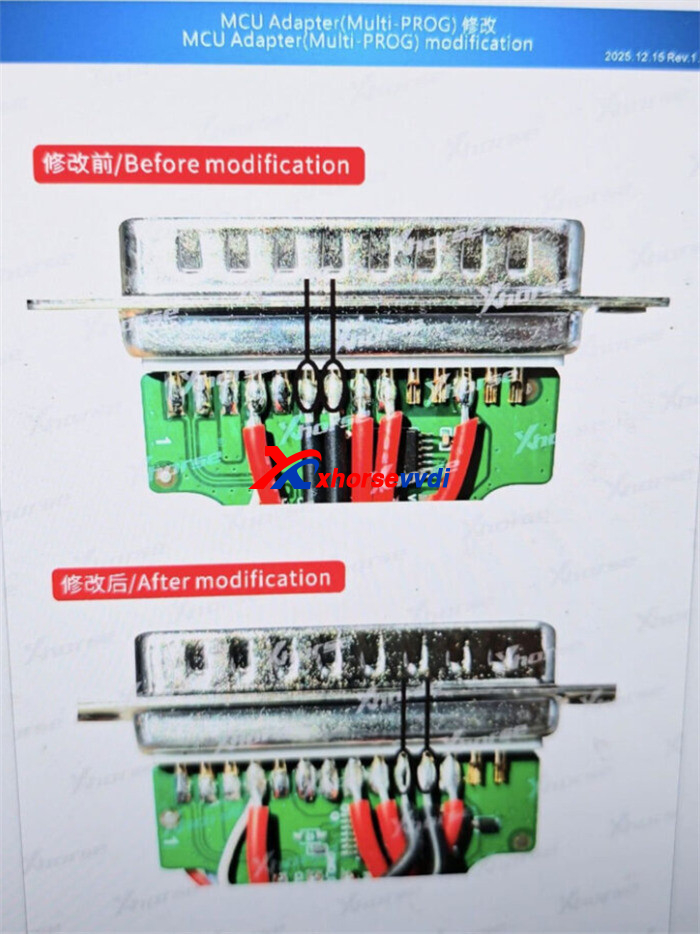
Step 1: Upgrade the MCU Adapter
Before attempting other fixes, confirm that your MCU adapter has been upgraded to the newest revision. Older versions may lack the required circuitry to maintain a stable connection with the D70F3526 series. Ensuring the adapter is up to date is critical for successful communication.
Step 2: Install a Pull-Up Resistor
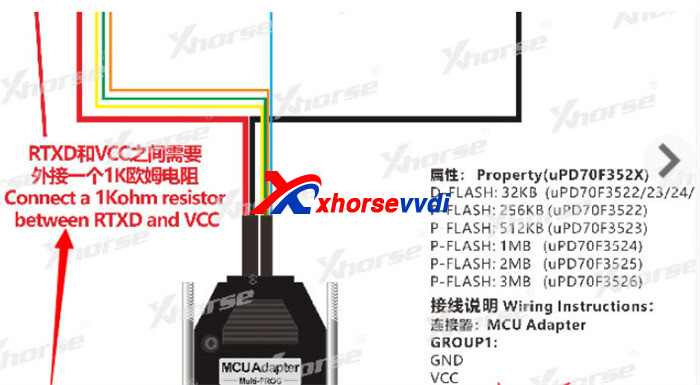
If updating the adapter does not fully resolve the frequency mismatch, a minor hardware modification can enhance signal stability:
- Component Required: One 1k Ohm resistor
- Procedure: Connect or solder the 1k Ohm resistor between the RTXD and VCC pins.
- Purpose: This adjustment pulls the signal line high, allowing the Multi-Prog software to accurately detect the MCU’s crystal frequency.
Testing and Verification
After completing the resistor installation and confirming the adapter update, reconnect the MCU and try the read operation again. The “Crystal frequency does not match” error should now be cleared, enabling a smooth read process.
Pro Tip: Inspect your solder joints carefully. Avoid creating shorts between adjacent pins, as even minor bridges can interfere with proper signal detection.
By following these steps, your Xhorse Multi-Prog should successfully communicate with the D70F3526 MCU without errors, saving time and reducing frustration.
Skype: xhorsevvdi.com
Whatsapp: https://wa.me/8613983756354


 Whatsapp:
 Skype: