


Sometimes a Xhorse VVDI2 Key Programmer may become unresponsive or completely dead, making it impossible to connect to the software. In such cases, retrieving the serial number (S/N) is essential—especially if you need to transfer authorization to a new device.
Here’s a practical guide based on real user experience:
Problem:
A customer reported that his VVDI2 device stopped working and could no longer connect to the software. The label on the device was worn out, and he needed the serial number to migrate authorization to a replacement unit.
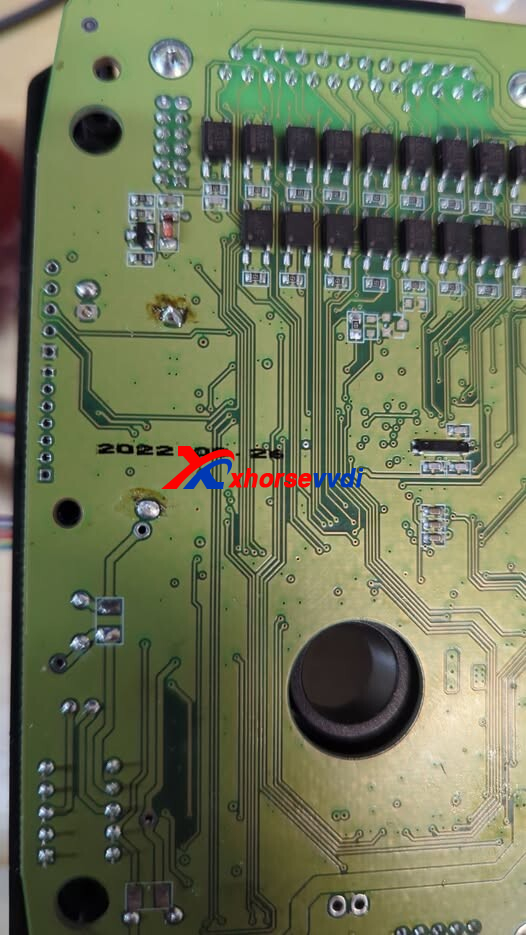
Solution:
To extract the serial number from a dead VVDI2, look for the physical sticker located on the back or side of the device casing. If the label is missing or unreadable, the serial number is usually stored in the unit’s firmware and can sometimes be retrieved by attempting to connect it to VVDI2 software for detection.
Ways to Retrieve the Serial Number
1. Check the Physical Sticker
The easiest and most reliable method:
- Look at the back or side of the device casing
- Find a label marked “S/N” or “Serial Number”
If the sticker is intact, this is your quickest solution.
2. Check the Original Packaging
- The VVDI2 box usually has a sticker with the serial number
- If you kept the packaging, inspect it carefully
3. Verify via Bound Account (APP)
If your VVDI2 was previously bound to your account:
- Open the Xhorse app or software
- Check device information under your account
This only works if the device was registered earlier.
4. Extract from Local Log Files (Advanced Method)
If the device cannot connect and no label is available:
- Go to the following directory on your computer:
C:\Users\*\Documents\VVDI2\VAG - Locate log files generated during previous use
- These logs may contain hidden device information
📩 Send these files to Xhorse support
They can help extract or confirm your serial number from the logs.
⚠️ Important Notes
- Always back up your device info when it’s working
- Keep photos of the serial number sticker for future reference
- Binding your device to an account adds an extra layer of security
Even if your VVDI2 Programmer is completely dead, you still have several ways to recover the serial number—from physical inspection to log file extraction. When all else fails, contacting Xhorse support with your logs is often the final and effective solution.
Skype: xhorsevvdi.com
Whatsapp: https://wa.me/8613983756354


 Whatsapp:
 Skype: