
XhorseVVDI.com
Official Xhorse VVDI Blog.VVDI Tools Tech Support.Xhorse Software Download.
    • Xhorse Condor Xc Twins
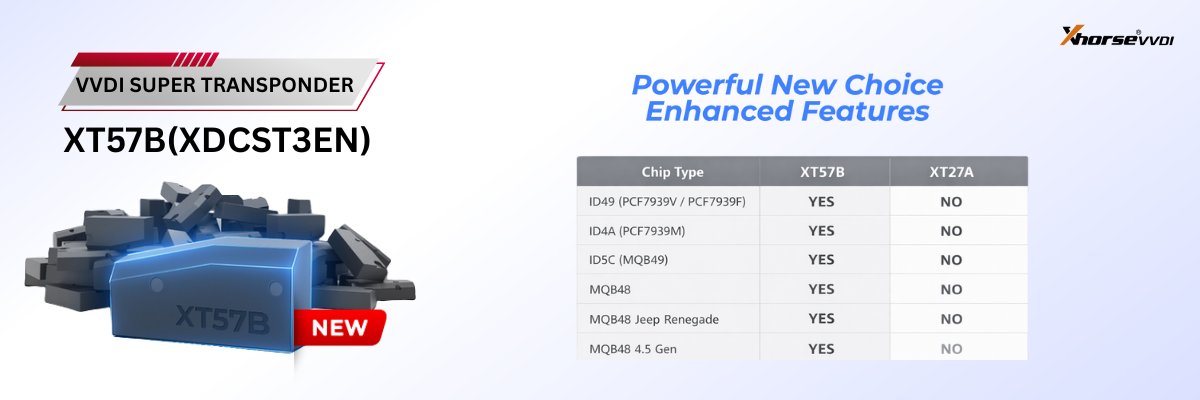
    • Xhorse Xt57b Super Chip
    • Xhorse Mlb Mqb 1200
    • Xhorse Black Friday Sale
    Menu Close
    • Home
    • VVDI2
      • VVDI2 Full Authorization
      • VVDI2 Authorization
      • VVDI2 Update
      • MLB Tool
    • VVDI Prog
      • Multi-Prog
      • Multi Prog Adapter
      • MINI Prog
      • VVDI Prog Adapter
    • VVDI MB Tool
      • BGA Token for VVDI MB
      • VVDI MB Adapter
      • Benz Key
    • Key Cutting Machine
      • Dolphin XP-005
      • Dolphin XP-005L
      • Dolphin XP-007
      • Condor XC-002 Pro
      • Condor MINI Plus II
      • Condor XC-Twins
    • VVDI Max
      • VVDI Key Tool Plus
      • Key Tool Plus Adater
      • Key Tool MIDI
      • MINI Key Tool
      • Original Xhorse Keys
    • Download
    • Contact us
    Home » VVDI Key Tool Max » How to Fix Key Tool Max Pro ID48 Clone “Request Failed” Error?

    How to Fix Key Tool Max Pro ID48 Clone “Request Failed” Error?

    Posted on November 7, 2023 by Sales xhorsevvdi.com

    Question:

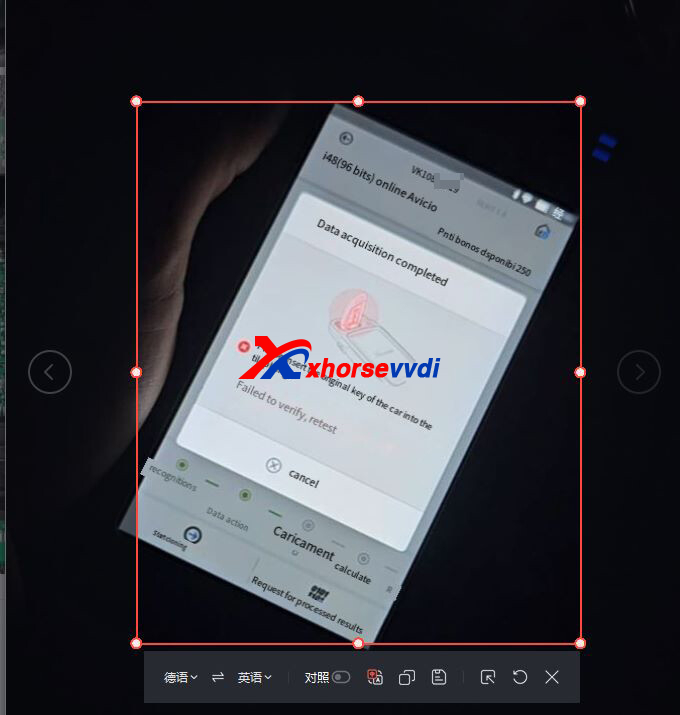
    Xhorse Key Tool Max Pro keeps showing “Request failed, try again later” during id48 calculation.
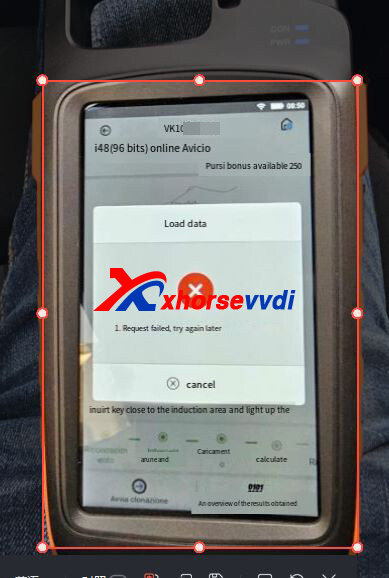
    how-to-fix-key-tool-max-pro-id48-clone-request-failed-error-1

    how-to-fix-key-tool-max-pro-id48-clone-request-failed-error-2

    Here is the Solution:

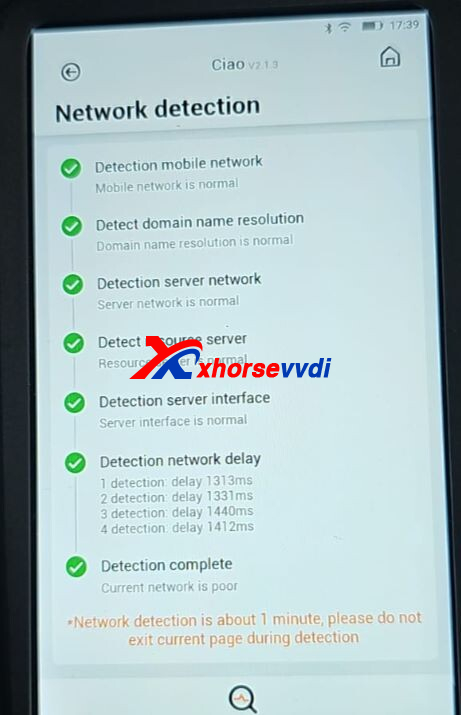
    1)Test network

    Switch to X-boy page.

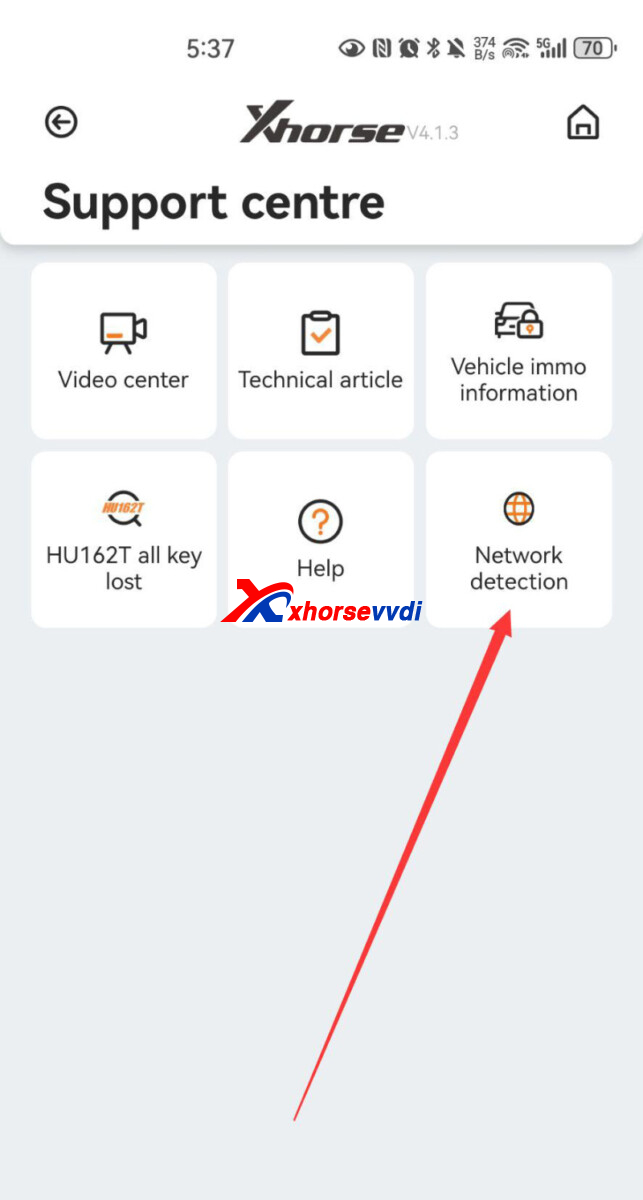
    Select

    Support Centre>>Network Detection
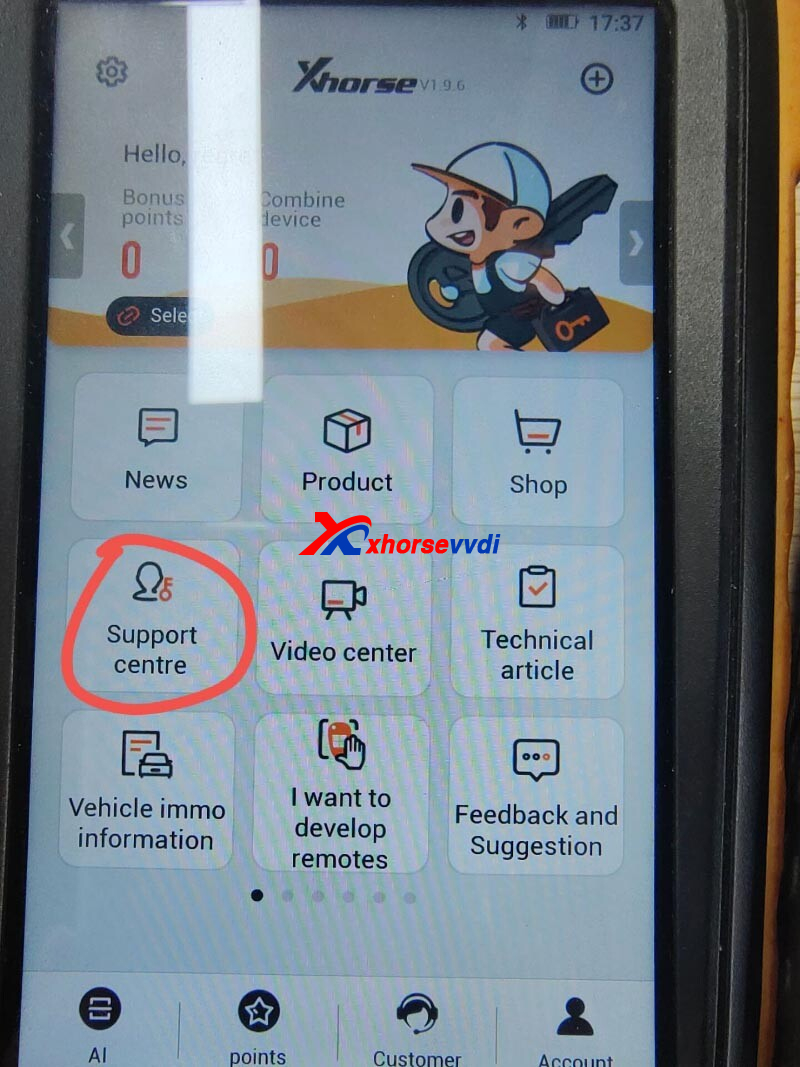
    how-to-fix-key-tool-max-pro-id48-clone-request-failed-error-3

    how-to-fix-key-tool-max-pro-id48-clone-request-failed-error-4

    2)Try hotspot according to results

    how-to-fix-key-tool-max-pro-id48-clone-request-failed-error-5

    Hope this could help!

    https://www.xhorsevvdi.com/

    Skype: xhorsevvdi.com

    Whatsapp: https://wa.me/8613983756354

    Who Views This Also Viewed:

    1. Key Tool Max Pro ID48 96 Function Not Working Solution
    2. VVDI Key Tool Max Pro stuck to 4 remotes to activate id48 function tips
    3. How to Solve VVDI Key Tool Max Pro “Internal error”?
    4. How to Solve Key Tool Max Pro Firmware Update “error=20_58”?
    5. How to Solve Key Tool Max Pro “Toyota 8A adapter not found” Error?
    VVDI Key Tool Max Key Tool Max, key tool max pro, xhorse key tool max pro

    Sales xhorsevvdi.com

    More Posts Twitter Facebook LinkedIn

    Post navigation

    Fixed! VVDI PROG Read VW Cluster 3G0920751A “Try Frequency Fail (00)”
    How to Solve Condor Mini Plus II Shaking Cutter and Noise?

    Hot New release

    • FT OBD Toyota
    • SF257

    Xhorsevvdi Facebook

    SUBSCRIBE US

    Top Selling

    Recent Posts

    • Xhorse Key Tool Max Pro Generate Toyota XM38 Smart Remote
    • Xhorse D04, D05, and D06 Dimple Cutters for Keso & Medeco Keys
    • Tips for Removing Tesla Airbag Crash Data with Xhorse Multi-Prog
    • Xhorse Key Tool Plus Successfully Adds Key to 2022 Lynk & Co 01 via CEM
    • Read Audi A6 ELV Module OK With Xhorse Multi-Prog

    Hot Tags:

    • VVDI Key Tool Plus
    • Multi-Prog
    • Xhorse Dolphin XP-005L
    • Condor XC-MINI Plus ii
    • Key Tool Max Pro
    • MINI Prog
    • Xhorse Dolphin XP-005
    • Condor Dolphin XP007
    • Dolphin XP-008
    • VVDI MB Tool
    • VVDI Key Tool Max
    • VVDI MB Tool Power Adapter
    • Benz ELV Emulator
    • VVDI2 Key Programmer
    • VVDI2 Software Download
    • VVDI 2 Video
    • Xhorse vvdi2 and vvdi prog
    • VVDI2 BMW
    • VVDI Prog
    • VVDI Prog Update
    • VVDI Prog Adapter
    • VVDI Prog Video
    • Condor Mini Plus
    • CONDOR XC-009
    • VVDI MINI OBD Tool
    • MINI Key Tool
    • Xhorse Remote Key
    • VVDI Key Tool

    Categories

    • Auto Diagnosis
    • Benz Key Programmer
    • Benz Keys
    • BMW Key Programmer
    • Key Cutting Tool
    • Key Tool MIDI
    • MINI Key Tool
    • Multi Prog
    • Multi Prog III
    • Uncategorized
    • VVDI Key Programmer
    • VVDI Key Tool
    • VVDI Key Tool Max
    • VVDI Key Tool Plus
    • VVDI Mini Prog
    • VVDI MLB Tool
    • VVDI Programmer
    • Xhorse Keys
    • Xhorse Solder Free Adapter
    • Xhorse Update
    • Xhorse VVDI Remote
    • Xhorse VVDI2
    • XhorseVVDI Sale

    Sitemap

    • Xhorse VVDI Blog Sitemap
    • Xhorse VVDI
    • Launch X431 Diagnostics

    Contact us

    Contact 3 E-mail:sales@xhorsevvdi.comContact 4Whatsapp: +86-13983756354Contact 1 Live Chat: Online ServiceContact 2Skype: xhorsevvdi.com

    © 2026 XhorseVVDI.com. All rights reserved.