



A user reported that when using the Xhorse Multi-Prog to read a 9S12HZ512 MCU, the software prompted an MCU Adapter modification before proceeding. If you encounter the same message, you can follow the modification steps below to resolve the issue.
Original Adapter Pin Configuration (Before Modification):
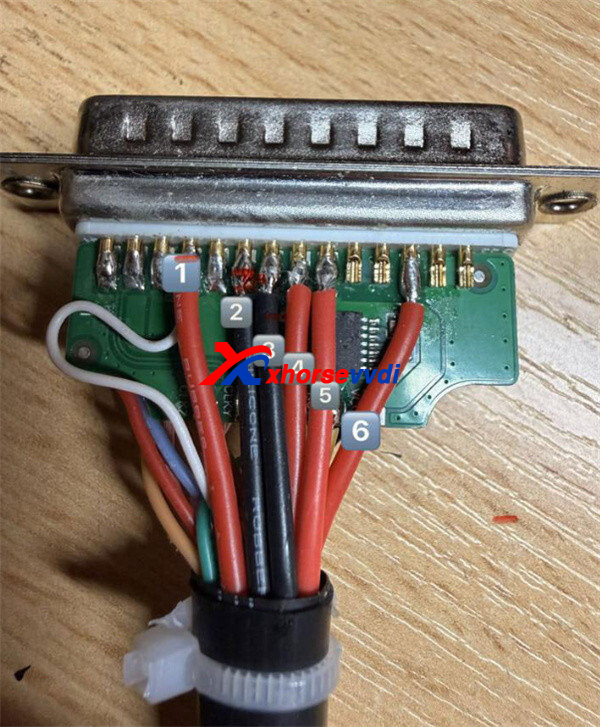
The VVDI Multi-Prog MCU Adapter comes with the following default pin-to-cable layout:
1 – VDD
2 – GND Short
3 – GND Long
4 – VPP
5 – VCC
6 – DC PWR
Modification Procedure:
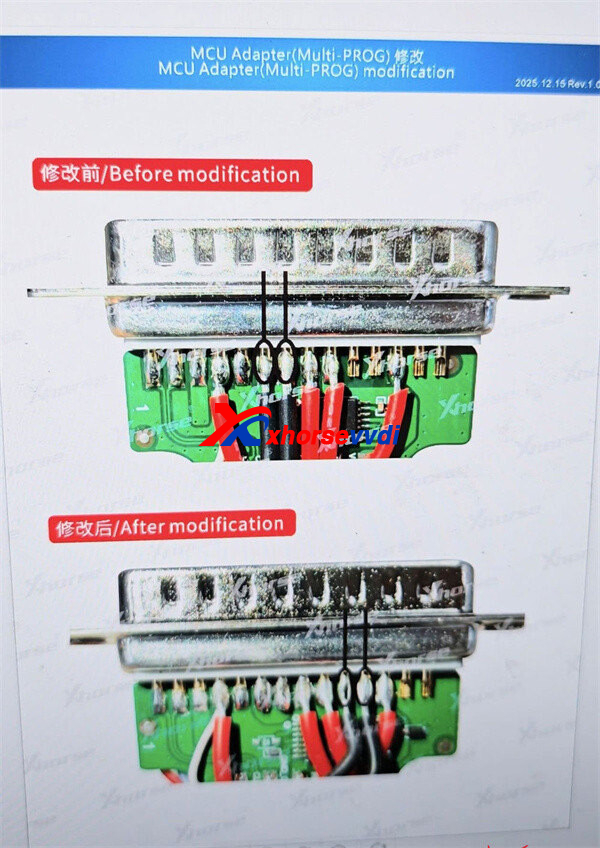
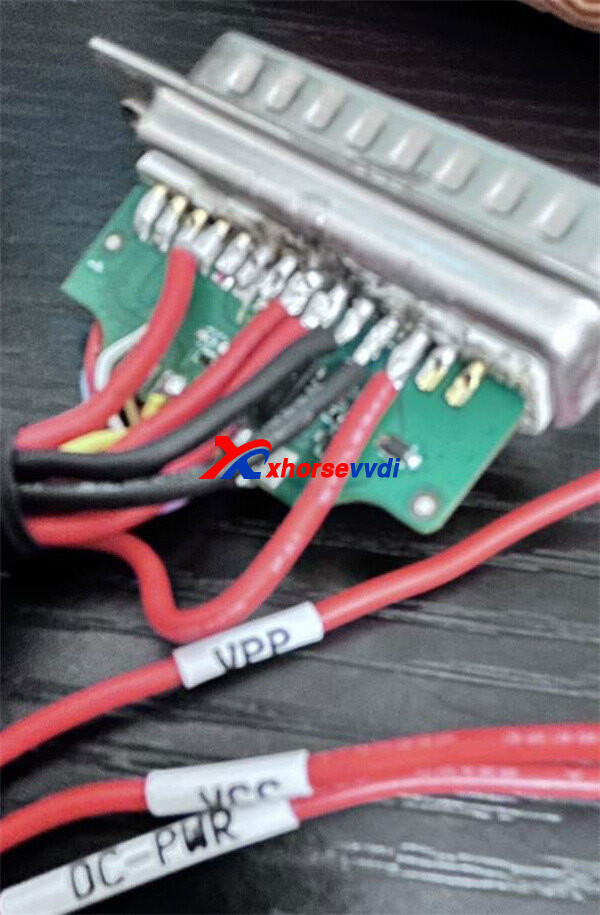
To meet the software requirement, add two additional black wires to reinforce the ground connections:
- Add one wire to GND Short
- Add one wire to GND Long
Ensure both wires are securely soldered and properly connected according to the wiring diagram shown below.
Result:
After completing the modification, the customer confirmed that the 9S12HZ512 MCU was successfully read using the adapter without further errors.
If you face a similar adapter prompt while working with Xhorse Multi-Prog, this simple wiring update may help you complete the job smoothly.
Skype: xhorsevvdi.com
Whatsapp: https://wa.me/8613983756354


 Whatsapp:
 Skype: