



For xhorse multi prog, we received feedback that one multi prog working OK, same option, another one get error “Connection failed! Note: If the connection failure occurs repeatedly.you can read the data after connecting an external 120-0hm resistor between S6 and S14”
And get reply from multi prog user that:
We found another device of multi prog, It reads everything. We installed a different (faulty) one, but it still doesn’t read. There are clicks, but nothing happens.
We connected one that doesn’t work.
Moreover, it stopped reading after the update. We tried updating, but it didn’t help. We tried with other blocks, but no results.
To reiterate, another device reads everything. This device does not. But everything worked before the update
We have another device, and it works fine. As soon as we connect this one, it doesn’t work at all.
The second working device also connects without the resistor.
Xhorse engineer replied please do DB44 test of multi prog, and send us the test result, no need connect with other adapter to do the test.
How to do multi prog DB44 self test?
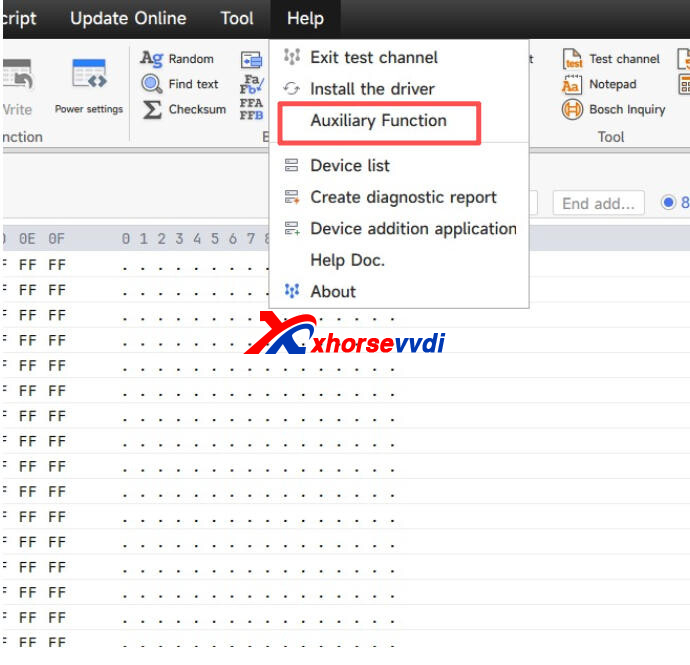
Start Multi Prog software, choose Help>>Auxiliary Function>>DB44 Test
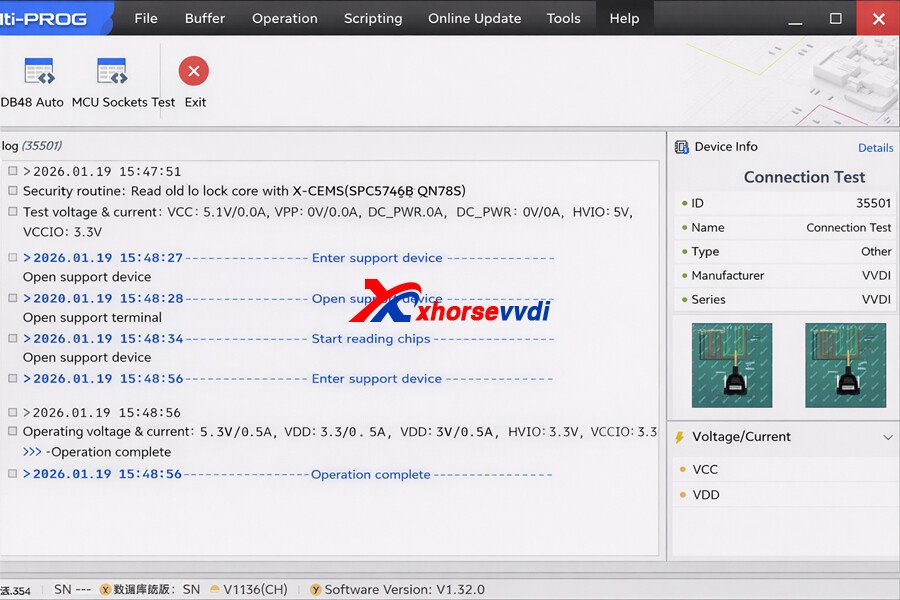
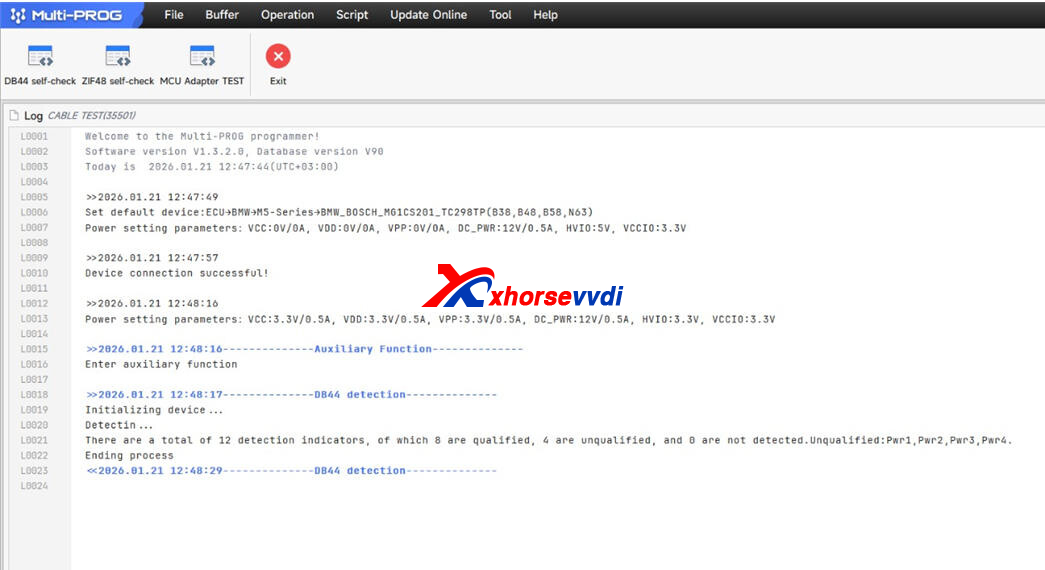
And the test result shows “4 are unqualified”, it will need repair.


 Whatsapp:
 Skype: