

Xhorse Multi-Prog now supports reading and writing the encrypted Tesla airbag module 1512876-00-E, equipped with a Renesas R7F701330A processor.
Important Notes:
Note 1: Carefully read all precautions and operating instructions before starting. Incorrect operations may permanently damage the airbag module!
Note 2: Do NOT perform “Full Erase Unlock” or erase/write DFLASH2. Doing so may cause the Tesla airbag module to become unusable!
Note 3: Using the “Set IDCODE” function may trigger serial port programming in some cases. If prompted, simply follow the on-screen instructions to proceed.
Note 4: This function only supports reading, writing, and erasing data. Data modification must be performed separately!
Multi Prog does not automatically repair crash data. First, read and save the original data in JTAG mode, then send the file to a third-party service for data modification.
After receiving the modified file, write the corrected data back to the airbag module.
Operating Instructions (Two Different Scenarios):
Scenario 1: If You Only Need to Erase DFLASH1
Follow these steps:
-
Read and back up all chip partitions before making any changes.
-
Click the “Set IDCODE” button (this operation only needs to be performed once).
-
After IDCODE is successfully set, you can proceed with reading, writing, and erasing the chip.
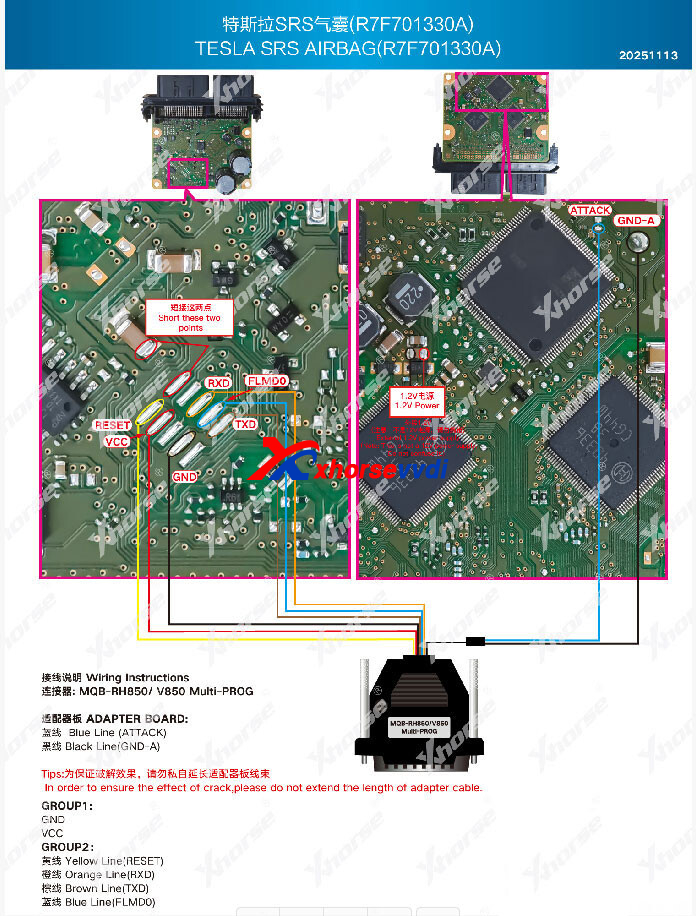
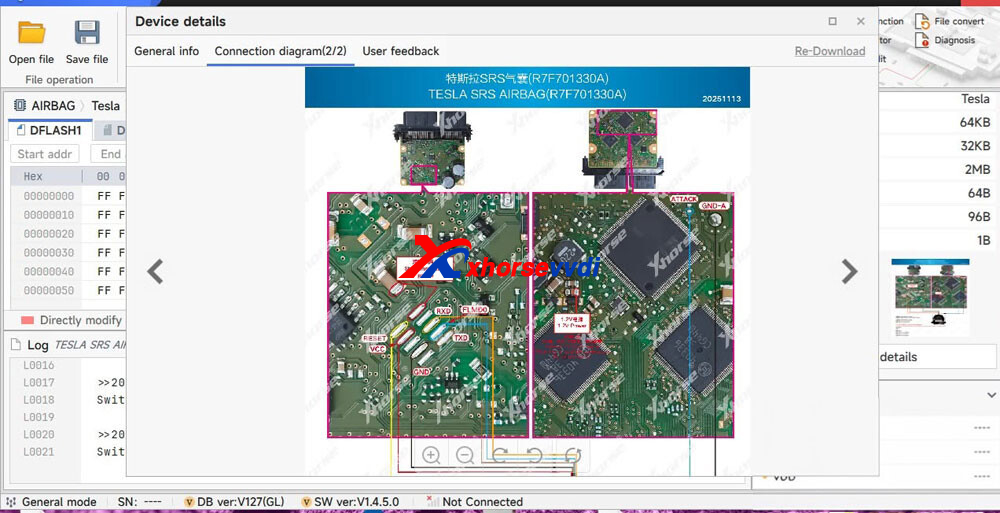
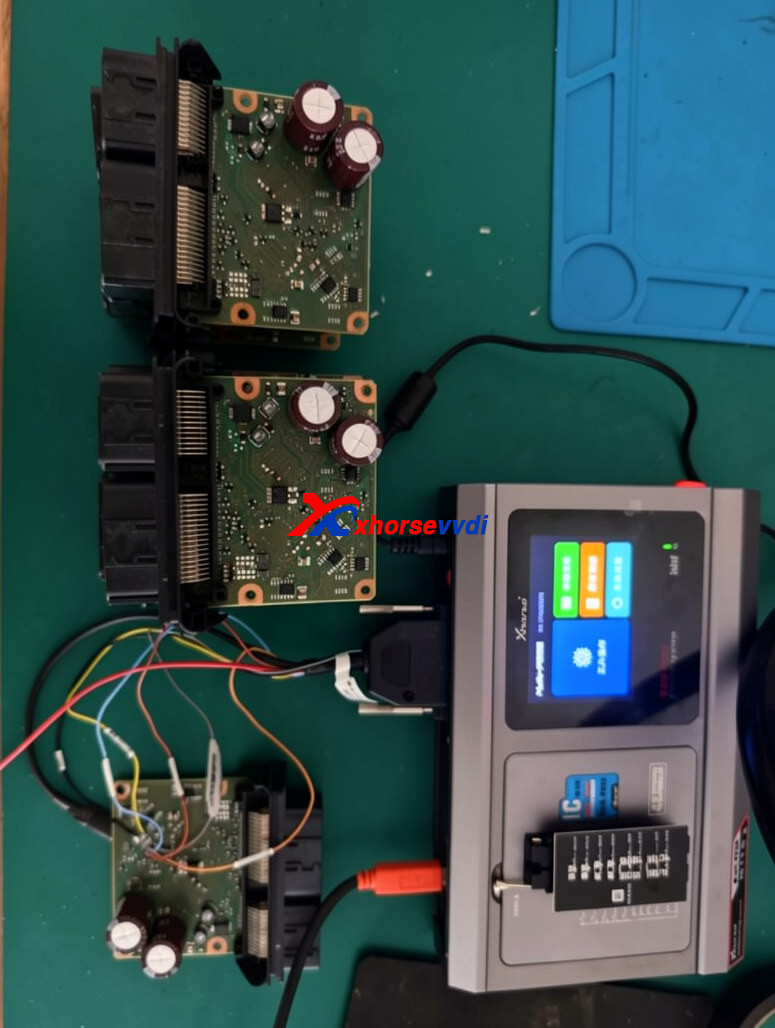
Multi Prog Tesla Airbag R7F701330A Pinout
Required adapter: MQB RH850 Cable.
Skype: xhorsevvdi.com
Whatsapp: https://wa.me/8613983756354


 Whatsapp:

 Skype: