


Xhorse Dolphin XP-005/XP-005L Key Cutting Machine may display Error 6, Error 56, or Error 3 during key decoding or cutting operations. These errors usually indicate poor electrical conductivity or an abnormal connection within the machine. Users should check the probe, cutter, clamps, wiring connections, and machine grounding to ensure proper conductivity and stable operation before continuing the job.

Follow the procedure outlined on the next page to access the conductivity measurement menu for the relevant testing operation.
Go to Device Info → Electrical Conductivity Measurement → Start Detection.
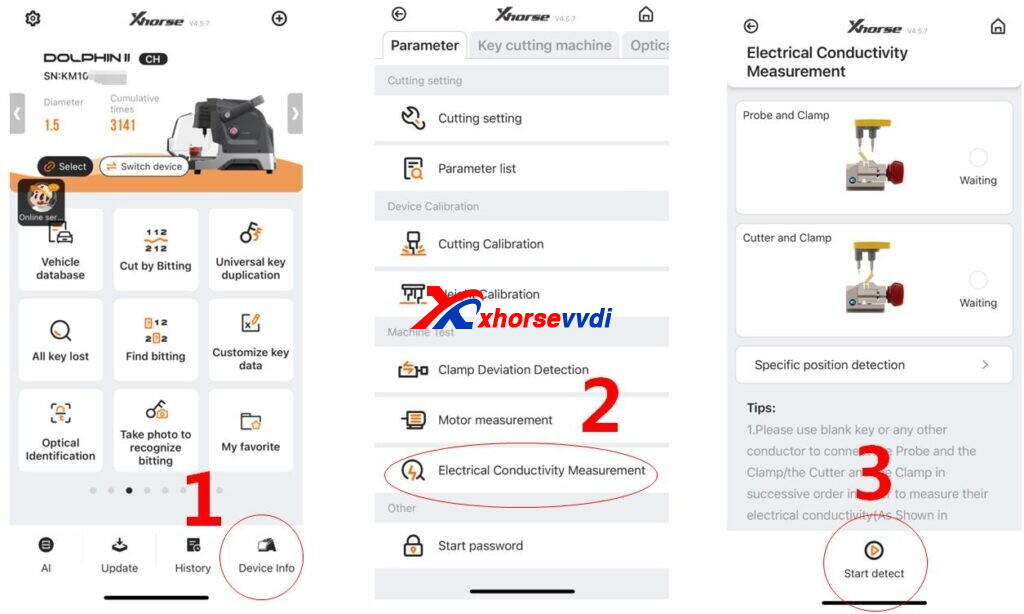
After entering the test interface, click Start to begin the inspection. Ensure all connections are made correctly according to the wiring diagram. If the cutter immediately displays “OK” without the required connections being completed, it indicates that the cutter is in a short-circuit condition and further inspection of the wiring and hardware is required.
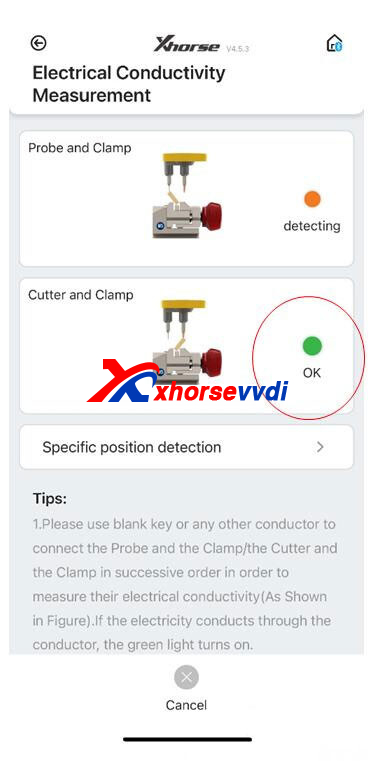
Solution:
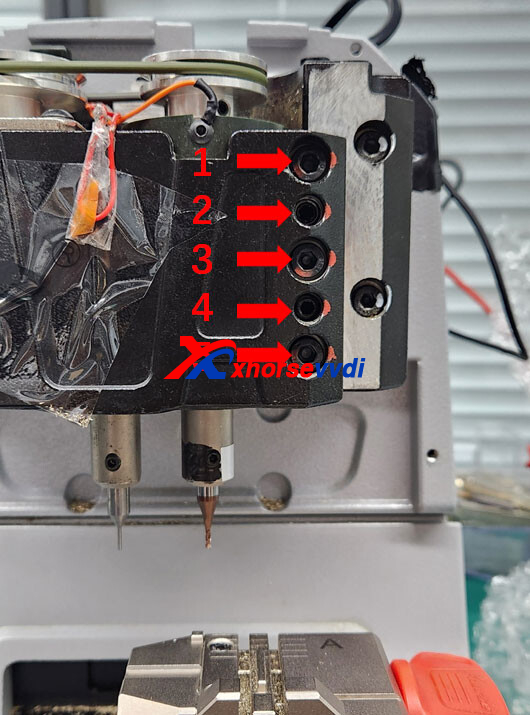
If the cutter is short-circuited, start by removing both the rear cover and the front cover of the machine.
Next, loosen screws 1, 3, and 5 by turning them counterclockwise, then remove these three screws completely.
After that, tighten screws 2 and 4 clockwise. This will allow you to open the black metal structural component.
Finally, remove the spindle assembly connected to the cutter and inspect or replace the affected parts as needed.
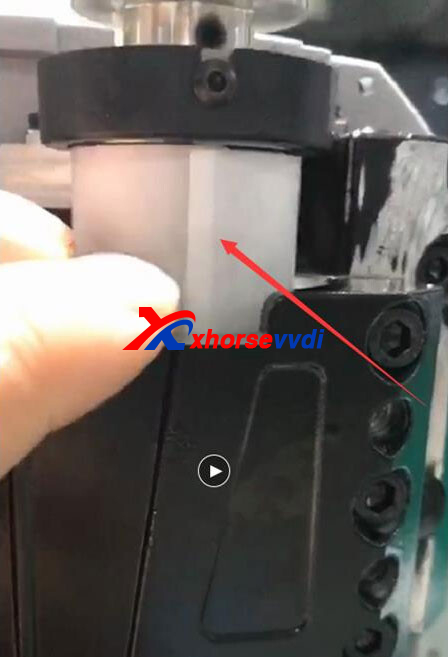
Lift the spindle assembly upward and inspect the white insulating paper for any signs of damage.
- If the insulating paper is damaged, replace it with a new one.
- If the insulating paper is intact, remove the entire spindle assembly and clean out any metal shavings or debris inside.
In most cases, the cutter enters a short-circuit condition due to metal filings accumulated at the bottom of the spindle. After cleaning, reinstall the spindle and secure the screws in the correct sequence.
When tightening the screws, follow this procedure:
- Slightly loosen screws No. 2 and No. 4 as shown in the previous diagram.
- Tighten screws No. 1, No. 3, and No. 5 in order.
- Finally, secure all screws firmly to complete the installation.
Make sure the spindle is properly aligned before fully tightening the screws.
Skype: xhorsevvdi.com
Whatsapp: https://wa.me/8613983756354


 Whatsapp:
 Skype: